Watch all 4 real application tours below, or jump directly to any interactive module in the sidebar navigation:
1. Real Live Application Recordings
Watch the actual Flutter application in action, recorded live from app.fliknetwork.com.
Tour 1: Full Platform Overview (Feed, Map, Opportunities, Marketplace, Studio, Profile)
Live WebP Video
Recorded live: jumping through the genuine Feed, Discover Radar Map, Opportunities job board, equipment marketplace, studio workspace, and verified profile.
Tour 2: Residency Occupancy Calendar & Studio Fountain Editor
Live WebP Video
Recorded live: opening the Jardin Scullion residency, examining the room occupancy schedule and dates of staying artists, then entering Studio to edit a Fountain screenplay.
Tour 3: Studio Deep-Dive (Script, Auto-Schedule, Stripboard, DOOD & Call Sheets)
Live WebP Video
Recorded live inside Flik production: creating a project, writing screenplay scenes, running 1-click AI Auto-Schedule, reviewing color-coded Stripboard strips, opening Call Sheets with astronomical sun data, and inspecting the Day Out of Days (DOOD) cast matrix.
Tour 4: Profile Customization, Settings Gear & Preferences Hub
Live WebP Video
Recorded live inside Flik production: opening the verified creator profile, tapping the top-right Settings Gear, and navigating the Activity Hub, privacy toggles, map visibility, and localization.
Ready to Explore the Live Feed?
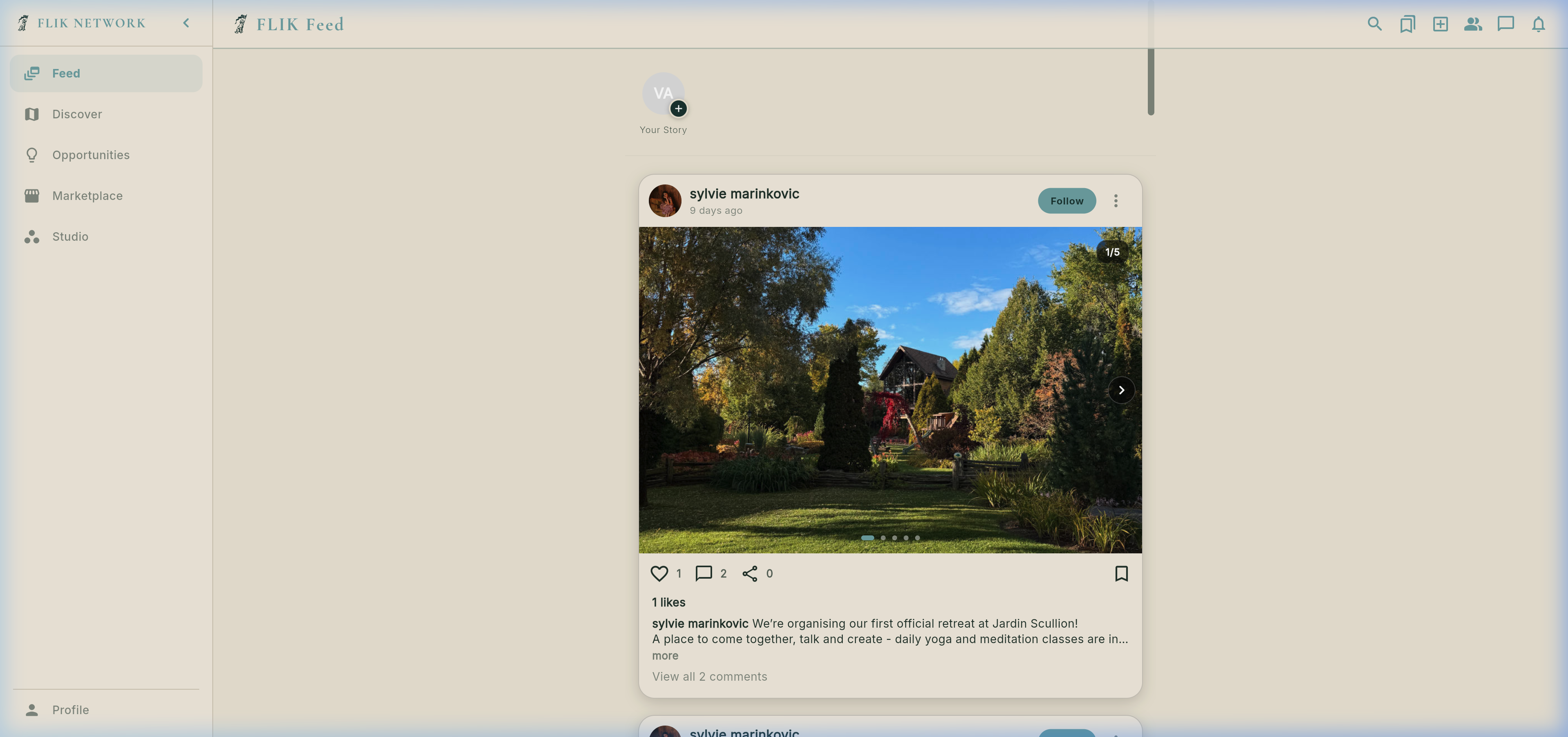
Step through the genuine Global Feed interface with interactive UI control guides.
2. Real Global Feed (`GlobalFeedScreen`)
Precision guide to the genuine Flik Feed. Click on any control card below to explore features and real screen functions.
Looking for Filmmakers & Crew?
Explore the dedicated creator directory, recommended talent, status badges, and attached job openings.
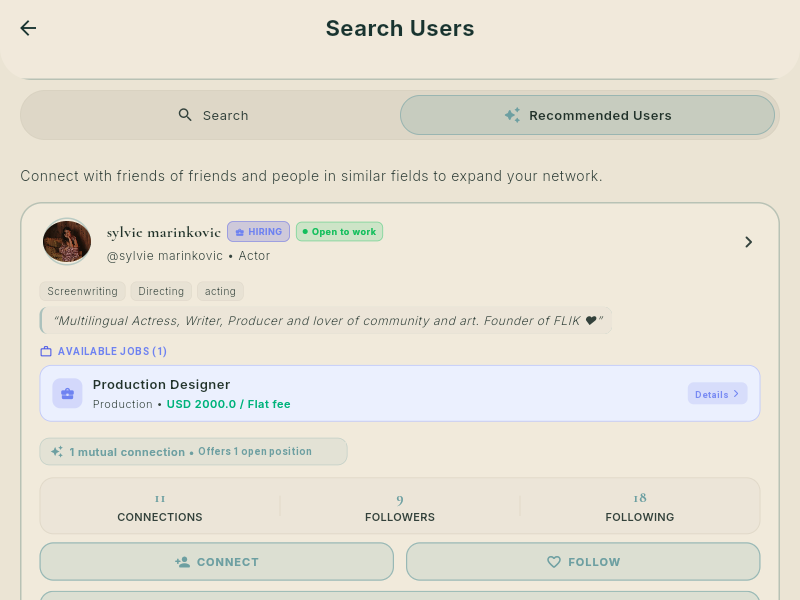
3. Real Find Users & Creator Search (`UserSearchScreen`)
Accessed directly via the header Search Icon (`Icons.search_rounded`, pin 1 on the Feed) or the navigation sidebar. Search filmmakers, crew, cast, and creative directors worldwide.
Explore Geolocation Talent & Studios
Switch from the creator directory to the interactive global radar map with talent pins, rental houses, and filming locations.
4. Real Discover: 5 Interactive Radar Map Layers (`MapScreen`)
The physical geographic backbone of Flik: toggle between Filmmaker Profiles, Production Jobs, Creative Residencies, Screening Events, and Cinema Equipment Rentals worldwide.
📍 Why Geotagging & Location Attachment is Essential Across Flik
Location-Driven Production NetworkFilmmaking is inherently rooted in physical space — soundstages, location sets, rental houses, and screening venues. Flik solves industry fragmentation by letting members geotag every asset:
👥 For Talent & Crew (Local Visibility)
Attaching your city or neighborhood places your pin on the global map with active OPEN TO WORK and AVAILABLE IMMEDIATELY badges. Traveling productions scouting in your area can hire you instantly, saving tens of thousands in flight and accommodation costs.
💼 For Productions & Employers (Local Crews)
Geotagging your job openings pins shoots to specific film cities and soundstages (e.g. Griffintown, Montréal), allowing qualified local crew to spot vacancies and apply in one tap.
🏪 For Gear Owners (Emergency On-Set Rentals)
Listing equipment packages (cameras, lenses, grip vans) with geotags allows production coordinators to source urgent backup gear 15 minutes away from set during shooting emergencies.
🎟️ For Festivals & Screenings (Audience Navigation)
Screening events and writing residencies pinned to exact coordinates allow attendees to get turn-by-turn directions directly to theater doors and explore tranquil artistic retreats.
Layer 1: Verified Filmmaker Profiles (`Profiles 👥` Layer Toggle)
Talent Radar • Montréal, QC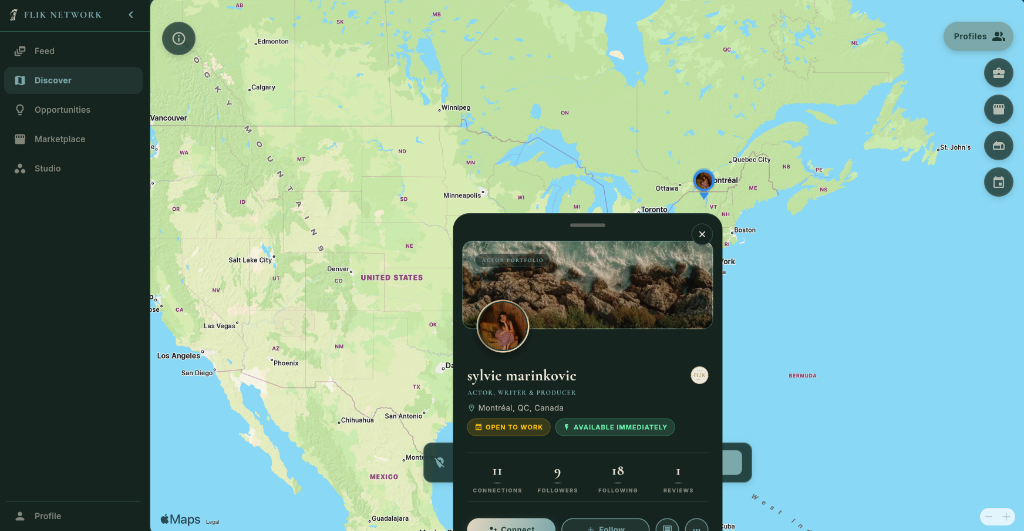
ACTOR PORTFOLIO banner, profile photo, verified name (sylvie marinkovic), craft role (ACTOR, WRITER & PRODUCER), and city (Montréal, QC, Canada).📁 OPEN TO WORK and ⚡ AVAILABLE IMMEDIATELY inform hiring producers that the talent is ready for booking.11 CONNECTIONS • 9 FOLLOWERS • 18 FOLLOWING • 1 REVIEWS.+ Connect, + Follow, direct chat message bubble, and 3-dot overflow options straight from the map pin without navigating away.Layer 2: Production Jobs & On-Set Gigs (`Job Posts 💼` Layer Toggle)
Active Shoots • Griffintown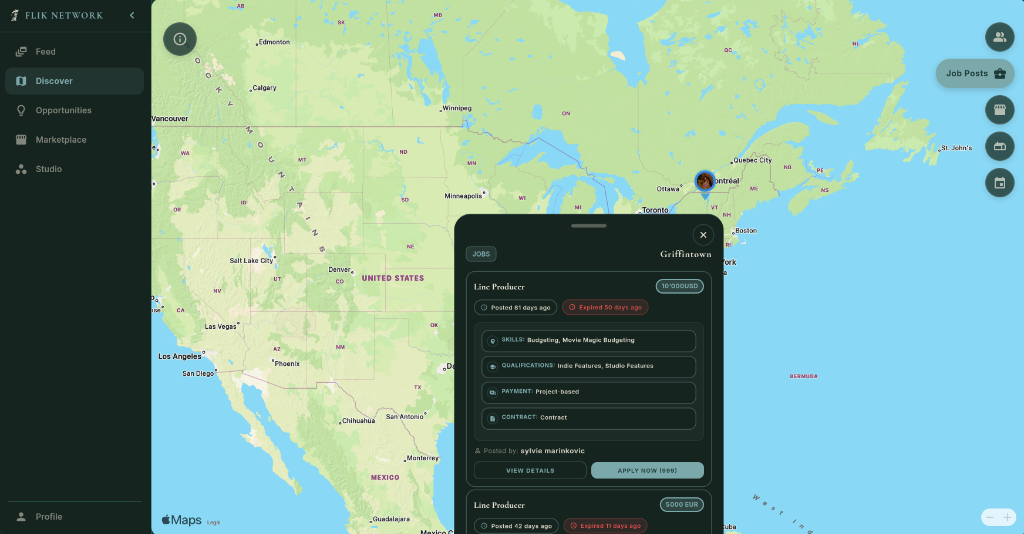
10,000 USD) and tracking timestamps (Posted 81 days ago).VIEW DETAILS for full sides or APPLY NOW to submit your verified Flik profile, showreel, and rates straight to the hiring producer!5000 EUR).Layer 3: Creative Residencies & Retreats (`Residencies 📅` Layer Toggle)
Sanctuaries & Writing Retreats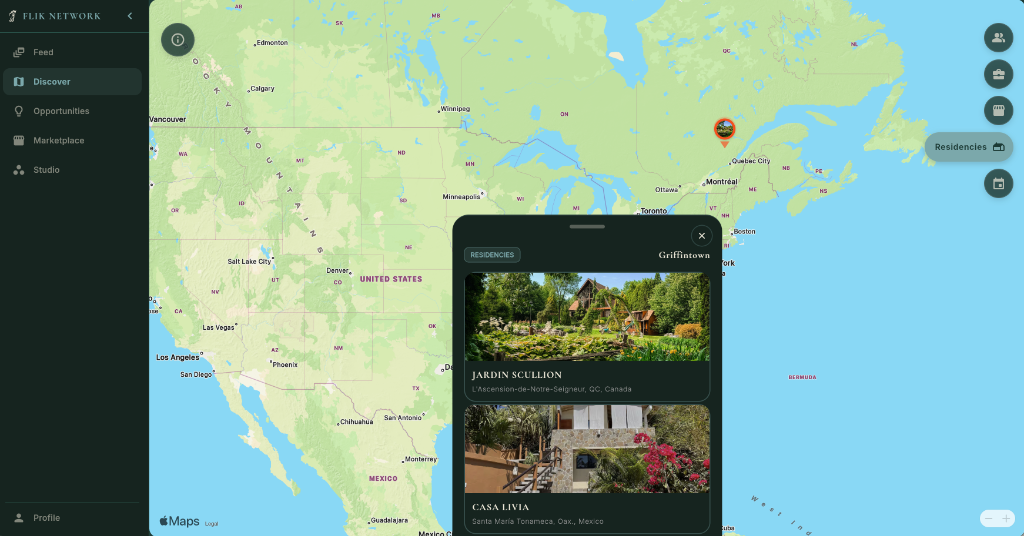
Layer 4: Community Screenings & Film Festivals (`Events 📅` Layer Toggle)
Screenings & Gatherings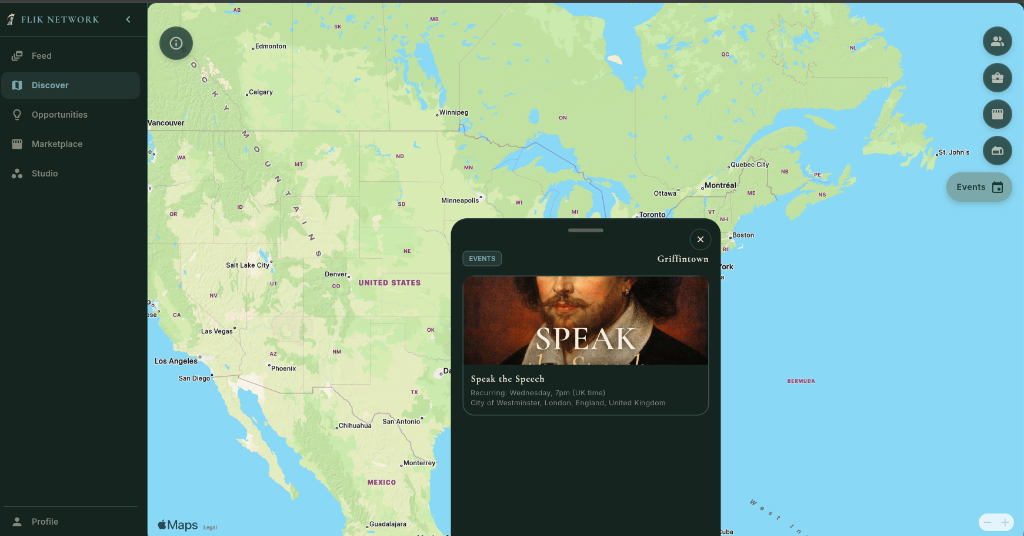
Layer 5: Equipment & Props Marketplace (`Marketplace 🏪` Layer Toggle)
Local Camera & Grip Depots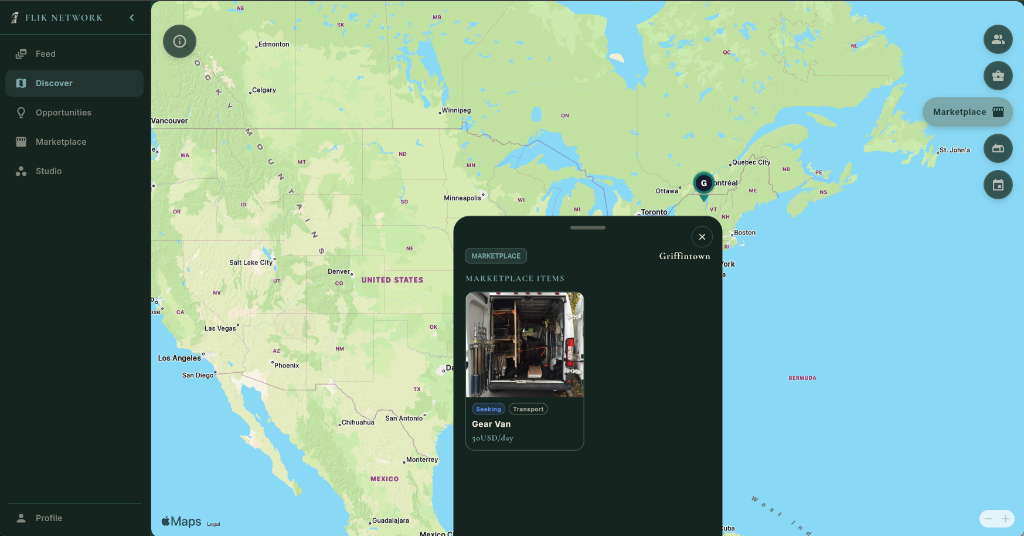
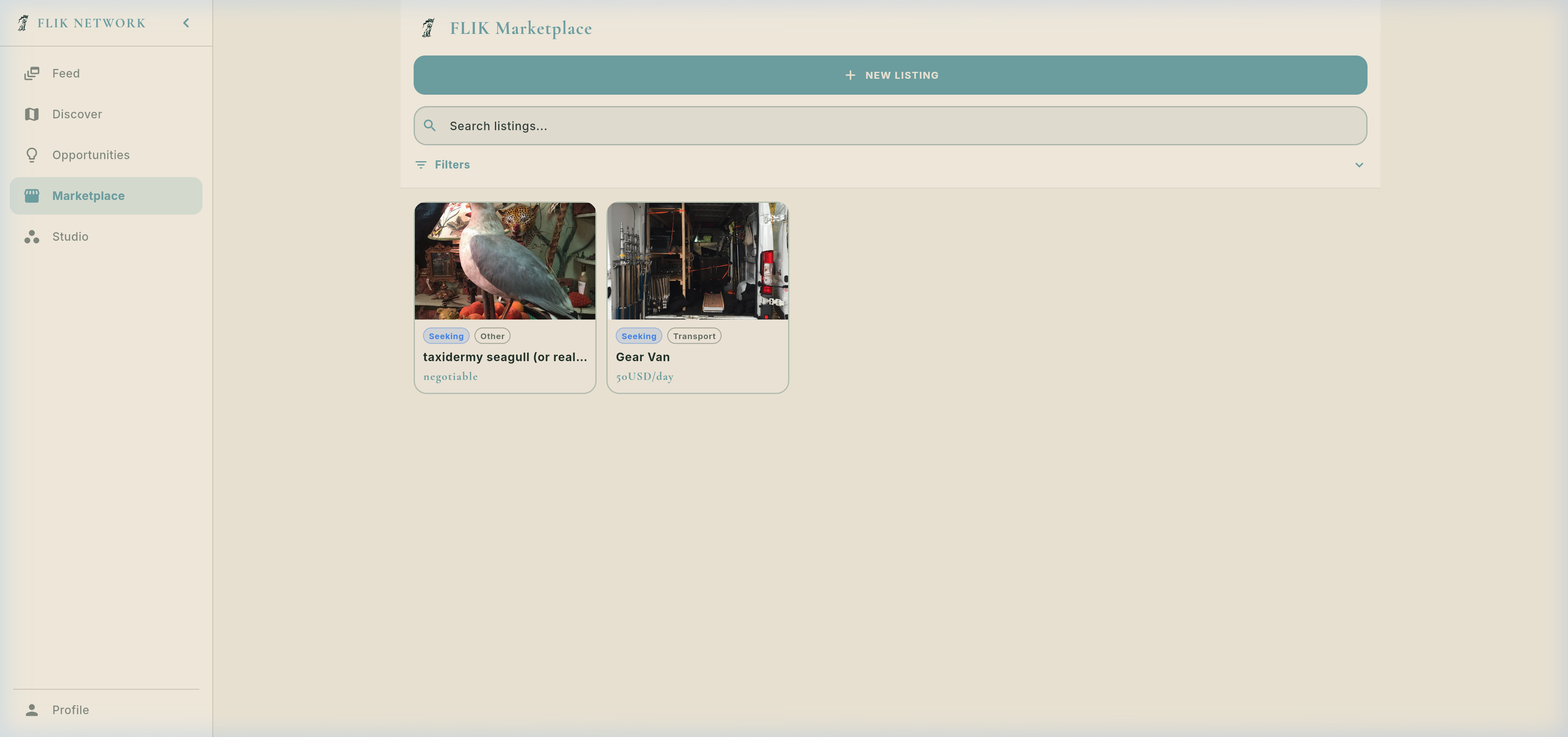
Seeking, Transport) with transparent daily rates: 50USD/day.Ready for Production Gigs?
Explore active film vacancies, casting calls, and grant opportunities with transparent day rates.
5. Real Opportunities: Jobs, Public Projects, Funding & Events (`OpportunitiesScreen`)
Two-way film hiring marketplace, public film showcase published from Flik Studio, international film funding grants, and community screenings.
Part 1: Two-Way Production Jobs & Hiring Engine (`AllJobsScreen`, `JobPostFormScreen` & `CompanyApplicantsScreen`)
Two-Way Market: Hire Crew & Seek Work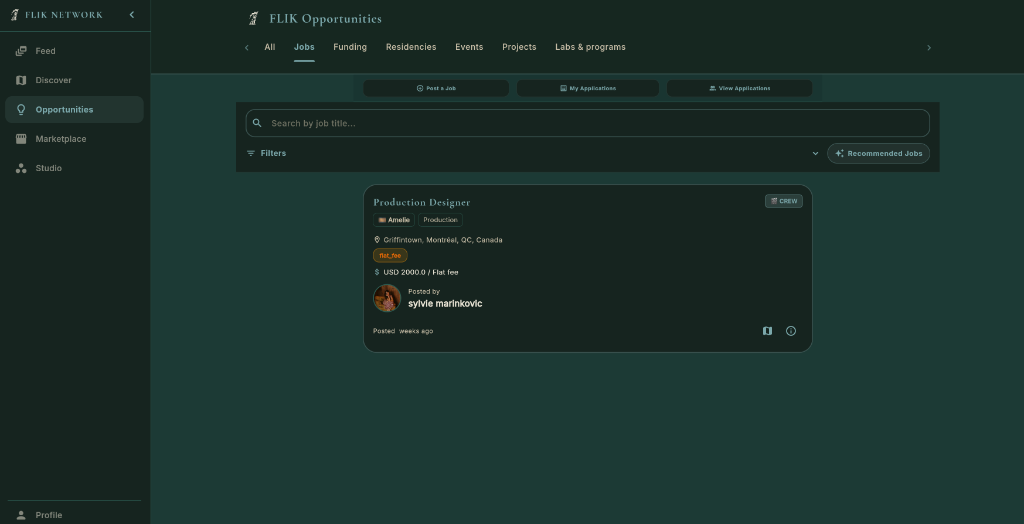
JobPostFormScreen) for producers and studios to recruit cast, directors, DPs, gaffers, and sound mixers directly linked to their Studio projects.Search by job title...) or department (Camera, Art, Sound, Lighting, Directing, Editing, Production, Acting) with transparent fee structures.CREW] bound to Studio project 🎬 Amelie in 📍 Griffintown, Montréal, QC at $ USD 2000.0 / Flat fee, posted by Sylvie Marinkovic with quick save and 1-click apply.🔍 For Freelancers & Cast (Seeking Work)
Job Seekers- One-Tap Profile Application: Apply instantly with verified Flik profile, IMDb credits, reel links, and equipment inventory.
- Role Categorization: Clear visual badges distinguishing
CREWpositions fromCASTauditions. - Financial Transparency: Clear compensation upfront (flat fee e.g. $ USD 2000.0, daily rates, union rates, or deferred).
- Submission Dashboard: Monitor review progress and feedback inside
My Applications.
📢 For Studios & Producers (Offering Work & Hiring)
Post & Recruit- Post a Job Wizard: 5-step builder for role requirements, dates, locations, character sides, and compensation models.
- Studio Workspace Linkage: Bound directly to your Studio project (
_selectedProjectId) so hired crew auto-sync to call sheets and credits. - Centralized Applicant Review: Tap
View Applications(CompanyApplicantsScreen) to review reels, rate candidates, and hire. - Dual Exposure: Vacancies appear simultaneously on the Opportunities Jobs board and on the project's public landing page!
Part 2A: Public Projects Community Feed (`Opportunities -> Projects` Tab)
Public Film Directory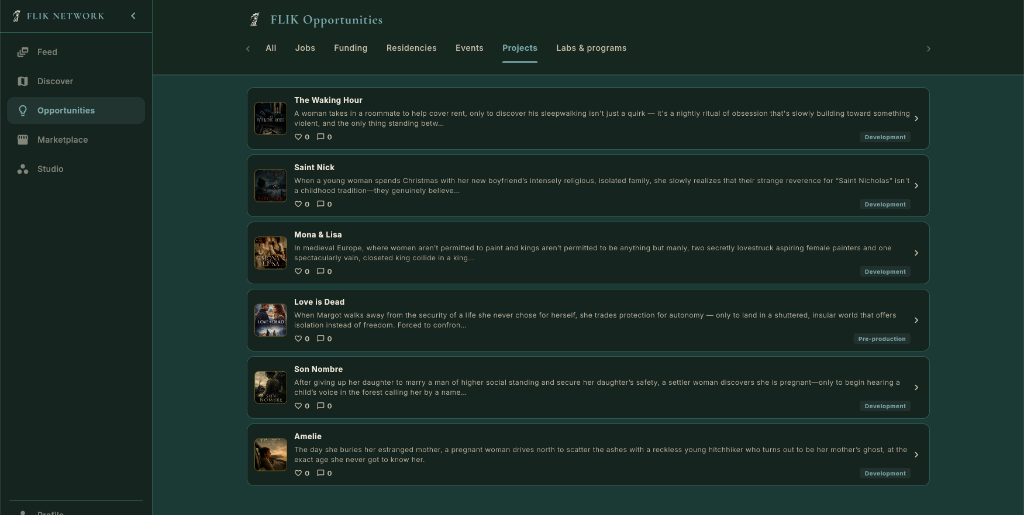
Development (e.g. The Waking Hour, Saint Nick, Mona & Lisa, Amelie) and Pre-production (e.g. Love is Dead).> to open the full project landing page.♡ 0) and public discussion comments (💬 0).Part 2B: Public Project Showcase & Pitch Deck (`PublicProjectPage`)
Flik Film Deck • "Love is Dead"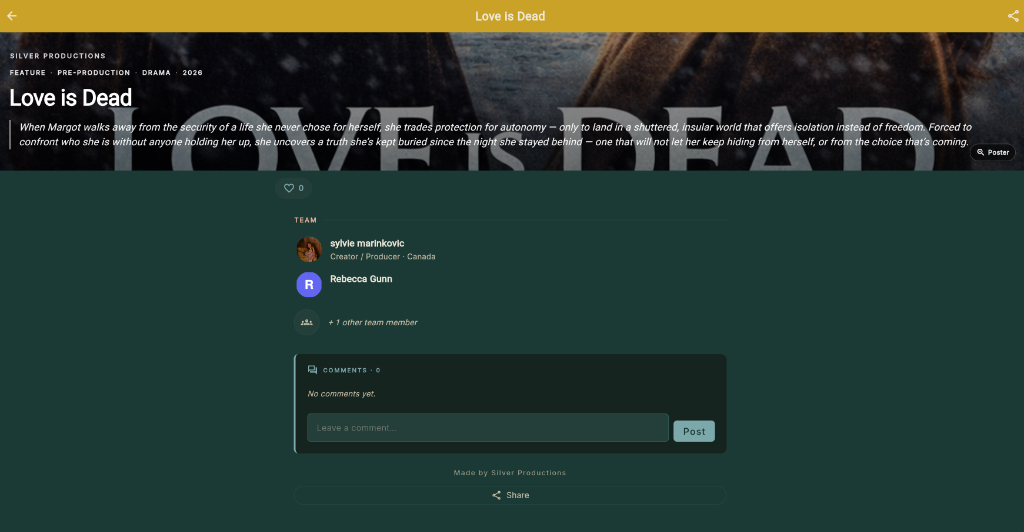
SILVER PRODUCTIONS) and film metadata: FEATURE • PRE-PRODUCTION • DRAMA • 2026.+ 1 other team member.flik://p/{id}) to share the project with private equity investors and sales agents.Part 2C: Cinematic Key Art & Theatrical Poster Lightbox (`PosterModal`)
Theatrical Key Art Presentation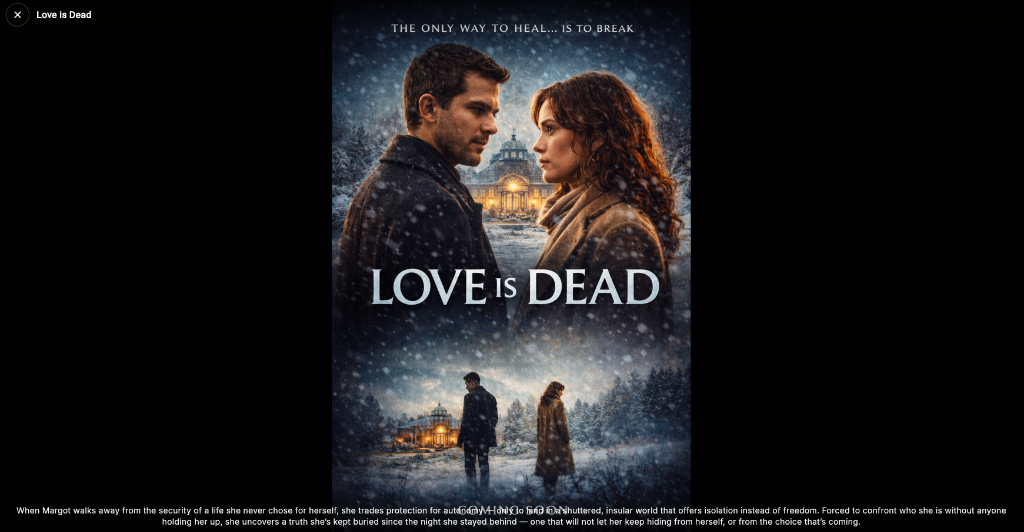
✕ Love is Dead) seamlessly returns the visitor back to the project profile or Opportunities feed without losing their place.Part 2D: The Studio-to-Public Publishing Pipeline (`ProjectSettingsDialog`)
Studio Management → Public Visibility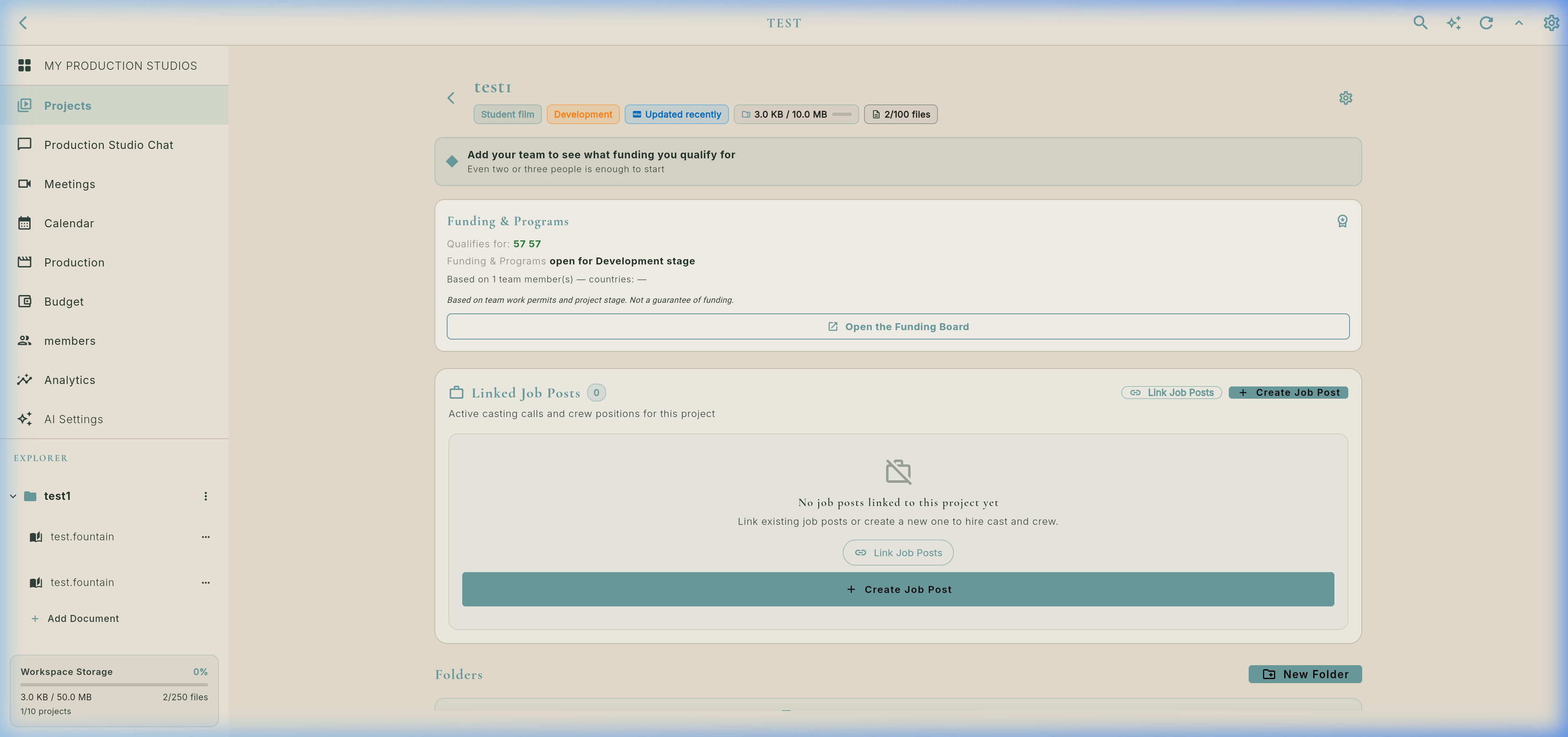
⚙️ Publishing Workflow (Step-by-Step)
Studio Control- 1. Open Studio Project: Navigate to your production inside Flik Studio (e.g., Love is Dead or Amelie under workspace Silver Productions).
- 2. Open Project Settings: Click the gear icon in the project header to open
ProjectSettingsDialog. - 3. Enable "List publicly" Toggle: Switches
allowPublicListingto active: "Adds this project to the public discovery list so anyone can find it, like it, and leave comments. Makes the public project page accessible to anyone with the link." - 4. Upload Theatrical Key Art: Attach high-resolution poster artwork via
ProjectPosterPickerand set production format (Feature, Short, Series), genre, and target release year. - 5. Link Production Jobs: Tap
Linked Job Posts: + Create Job Postto publish crew and cast vacancies that display both in Opportunities Jobs and directly on your project's public page!
🌟 Why Publish Publicly on Flik?
Industry Benefits- Living Electronic Press Kit (EPK): Replaces static PDF pitch decks with a dynamic, real-time web profile showing verified cast, team credits, and teaser art.
- Recruitment Magnet: Top cinematographers, editors, and actors browsing Opportunities discover the project and apply directly from the film's profile.
- Co-Production & Financing Visibility: International producers scouting for European or North American co-productions find projects in active Development or Pre-production.
- Festival & Distribution Outreach: Shareable deep links give sales agents and festival programmers instant access to your film's status, team, and materials.
Part 3: International Film Funding Board & Application Tracker (`FundingBoardScreen`)
57+ Sources • 700+ Programs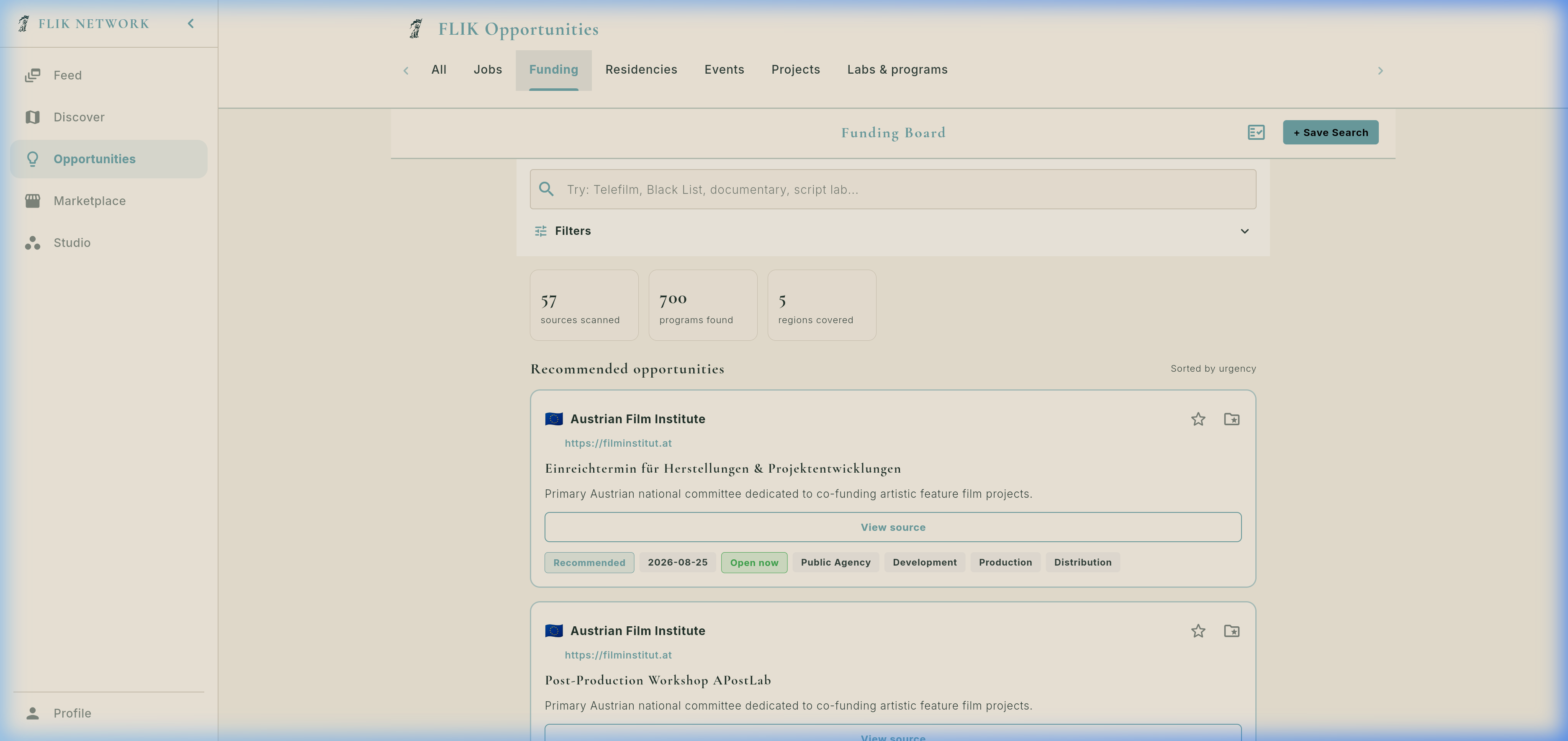
📊 Built-in Grant Pipeline Tracker (`FundingApplicationTrackerSheet`)
Directly linked to your Studio projects via ProjectFundingCard. Producers can log expected grant amounts, upload draft treatments, note jury feedback, and track multi-territory co-production financing across Europe and North America in real time.
Scan eligible funds by country quota, coproduction treaty, and budget tier.
Assemble director's vision, financial plan, and script breakdown.
Log approved grant sums into the Studio Budget module with 1 tap.
Part 4: Community Events, Screenings & Film Festivals (`EventListScreen`)
Community Hub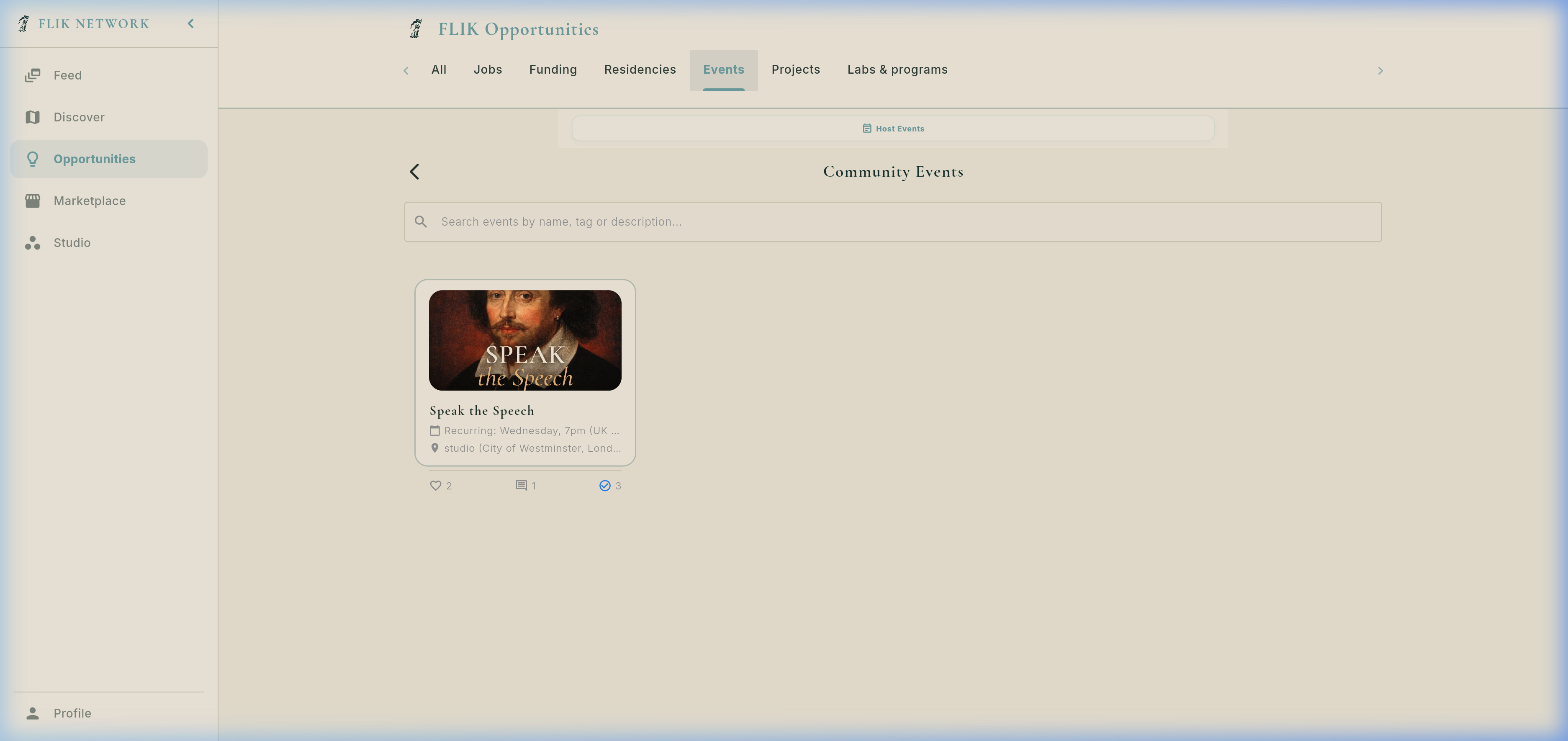
Artistic Retreats & Sanctuary Booking
Explore creative villas with live room calendars and coordinate co-living dates with other filmmakers.
6. Real Residencies & Live Occupancy Calendar
Book creative sanctuaries, view room availability, and see who else is residing there to co-live and collaborate!
Residency Overview (`Jardin Scullion`)
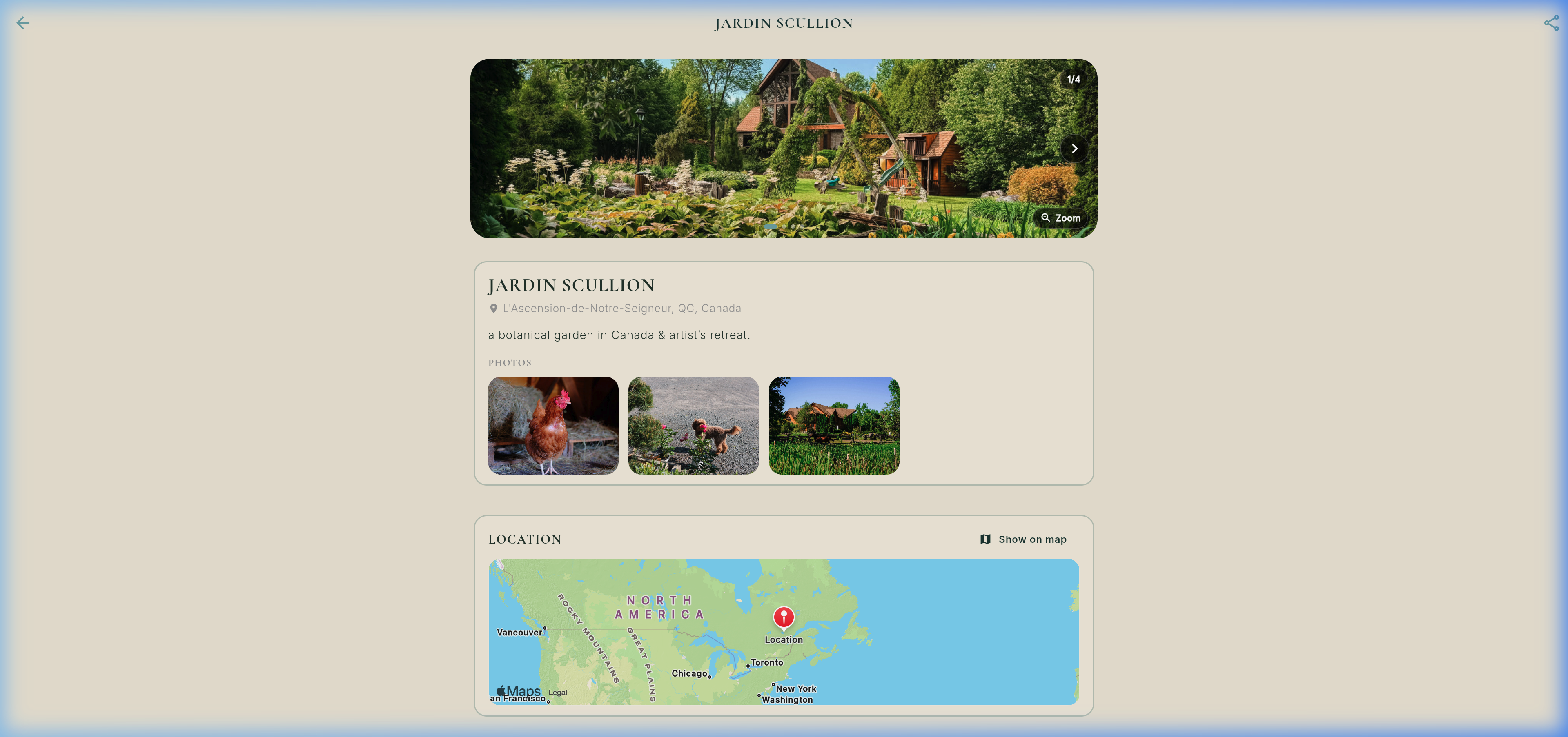
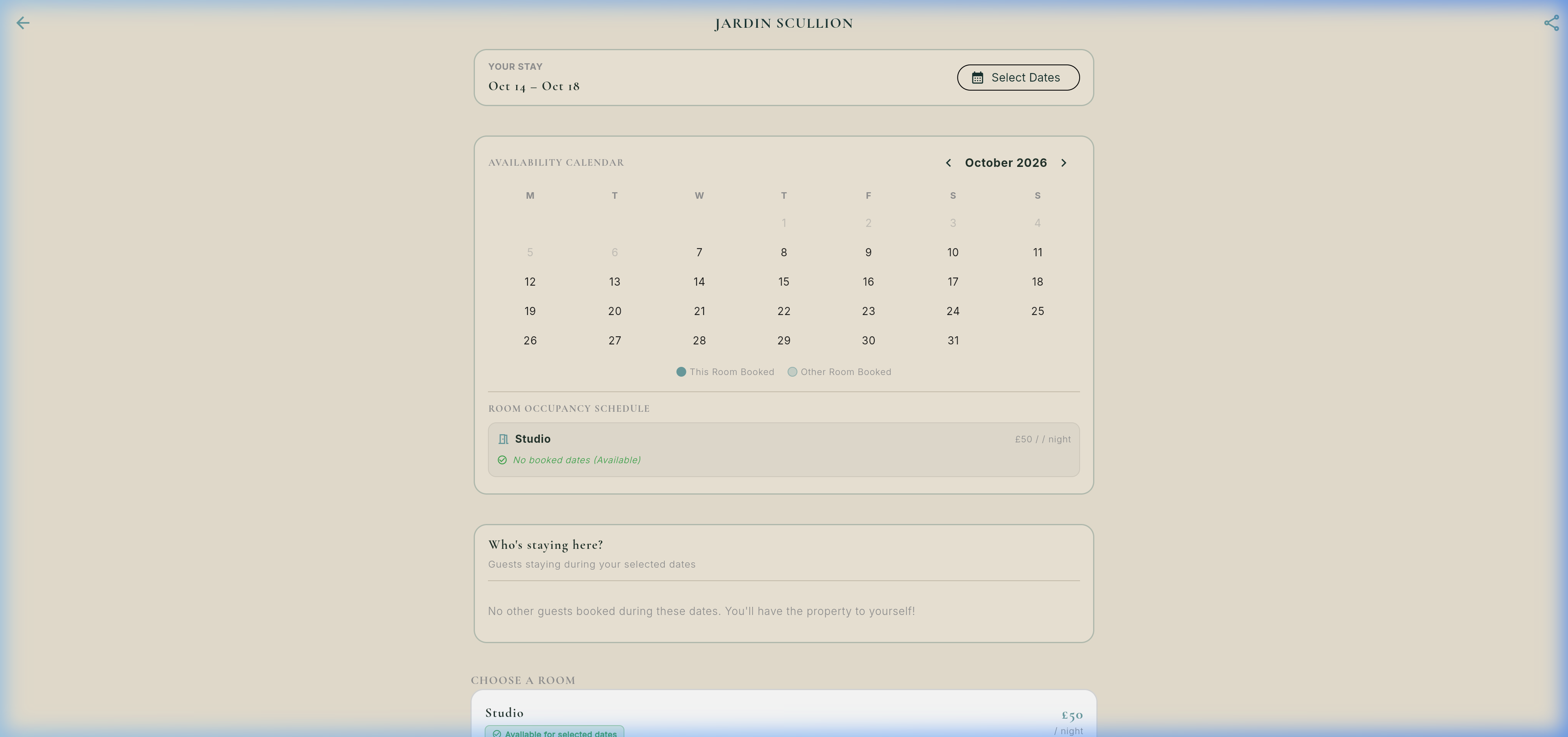
Monthly Occupancy Calendar & Room Schedule
Need Cinema Gear or Props?
Rent camera bodies, anamorphic lenses, lighting packages, and sound kits directly from verified creators.
7. Real Props & Equipment Marketplace
Rent camera packages, lenses, lighting, audio kits, and period props directly from owners.
Ready to Produce Your Film?
Step into Flik Studio: write Fountain scripts, generate AI script breakdowns, schedule stripboards, and build call sheets.
8. Flik Studio Masterclass (The Filmmaker's Suite)
Comprehensive deep-dive into the complete pre-production and production engine: Screenplay Editor, AI Breakdown, Stripboard, DooD, and Call Sheets.
Stage 1: Native Fountain Script Editor (`script_editor_view.dart`)
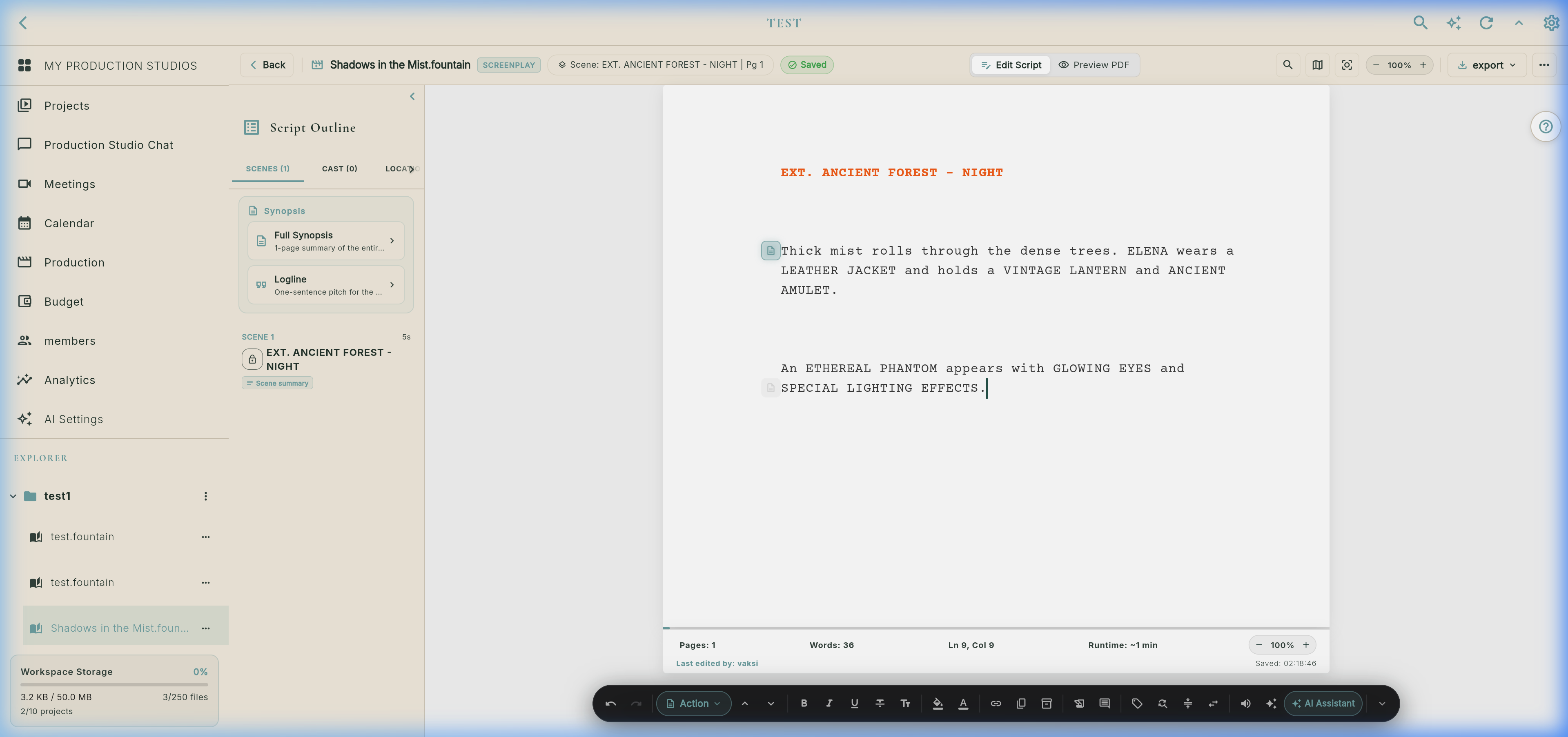
Interactive Screenplay Canvas Simulation (Courier 12pt Standard)
Arc Studio-Style Unified Web Toolbar Options (`_buildUnifiedWebToolbar`)
⌘1: Scene Heading
⌘2: Action
⌘3: Character Cue
⌘4: Parenthetical
⌘5: Dialogue
⌘6: Transition (CUT TO:)
⌘7: Shot / Camera Angle
Dialogue Alternates (Alts): Store Version A and B without deleting text.
Shorten Dialogue: AI/linter cuts wordiness.
Global Rename Character: Updates every dialogue cue in 1-click.
The Stash / Boneyard: Safe graveyard for cut scenes.
Audio Table Read (TTS): Built-in FlutterTts reads dialogue aloud with differentiated character voice pitches.
Typewriter Focus Mode: Centers the active line and dims ambient text.
Writing Analytics: Words/min velocity & dialogue-to-action ratio.
10+ Bespoke Paper Themes (`paper_themes.dart`)
🤖 AI Assistant: Inline Ghost Text, Logline & AI Settings Engine
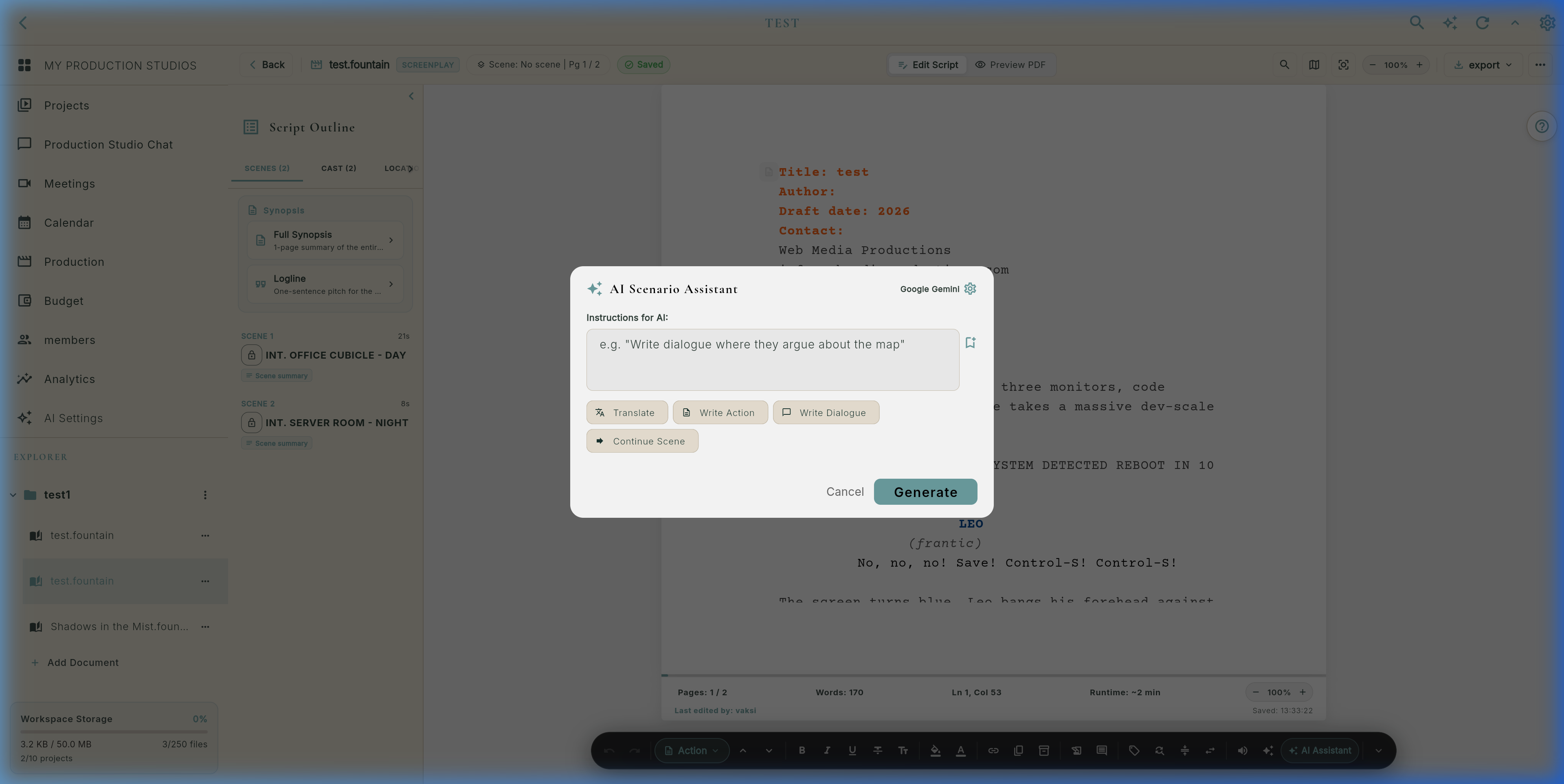
Type ++ anywhere on an action or dialogue line (e.g. ++ a mysterious figure enters).
- Context Aware: Bundles preceding 1,500 characters, scene headings, and character registry (
_allCharacters). - Ghost Completions: Renders inline gray ghost text directly at the cursor caret.
- One-Tap Acceptance: Press Tab to insert; continue typing or press Esc to dismiss.
- Quick Actions: Continue scene, generate dialogue alts, tighten text, expand description.
Powered by ScriptSynopsisToolbar and ScriptSynopsisSheet:
- One-Sentence Logline: Generates industry pitch line capturing Protagonist, Inciting Incident, and Stakes.
- Full 1-Page Synopsis: Synthesizes complete 3-act plot progression for pitch decks.
- Per-Scene Synopses: Displays beat summaries on each card in Outline Scenes tab.
- Provenance Badges: Transparent badges mark AI, Manual, or AI+Edited.
- Cloud Sync: Dual-write persistence via
FirestoreScriptSynopsisSync.
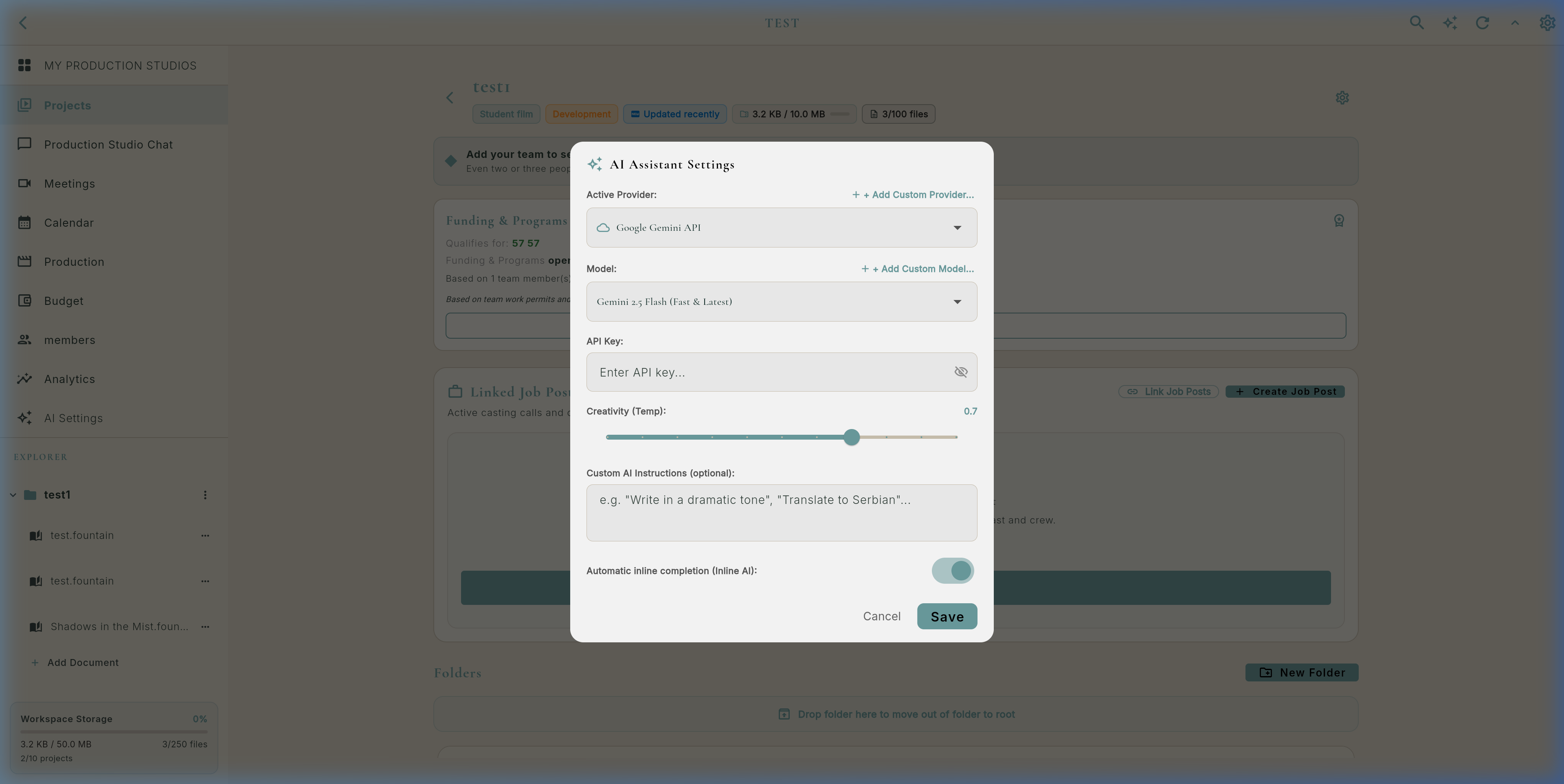
Accessible via 3-dot overflow menu → AI Assistant Settings (AiSettingsDialog):
- Multi-Provider: Google Gemini (2.5 Flash/Pro), OpenAI (GPT-4o, o3-mini), Anthropic Claude 3.7 Sonnet, DeepSeek, Groq, and local Ollama (
localhost:11434). - Creativity Slider: Continuous temperature control from 0.0 (deterministic) to 1.0 (creative).
- Custom Directives: Injects permanent instructions (e.g. "Write terse, neo-noir dialogue").
- Inline Toggle: Instant switch to enable/disable ghost completions.
📋 Script Outline & 8-Tab Sidebar Navigation (`_buildScenesTab`)
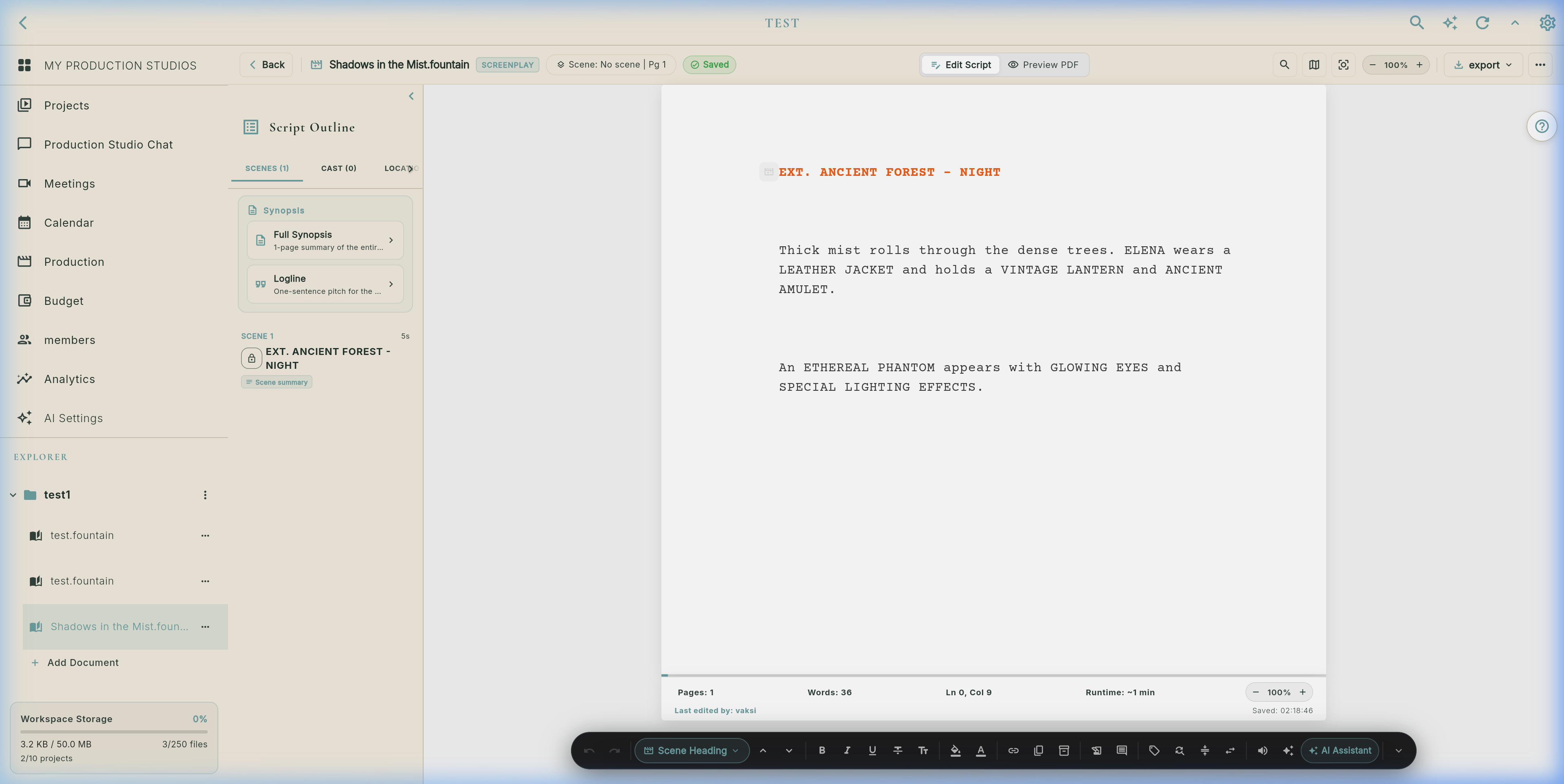
The 8 Dedicated Outline Drawer Tabs (`_buildActiveSidebarTab`)
Hierarchical scene list with scene numbers, sluglines, computed duration in seconds (e.g. 8s), and synopsis tags. Features the ScriptSynopsisToolbar for AI generation. Tap jumps directly to the line in the editor. Long-press opens menu: Omit Scene, Edit Synopsis, Lock Scene Number, or Reorder.
Extracts all speaking characters (e.g. ELENA, PHANTOM) with exact dialogue line counts, percentage of overall dialogue, first appearance scene, and deep character breakdown reports.
Aggregates all unique settings grouped by INT. vs. EXT. with occurrence frequency counts, day/night lighting requirements, and location scouting status.
Automated extraction into the 9 official Hollywood breakdown categories (Cast, Extras, Props, Wardrobe, Vehicles, Animals, VFX, Stunts, SFX) with 1-click bridge to production budgeting.
Active safety scanner checking 15 critical production risk classes: Child actors, Live animals, Night shoots, Firearms, Pyrotechnics, Stunts, Water hazards, Heights, Extreme weather, and more.
Industry standard syntax checker enforcing 12 rules: capitalization of character cues, orphan headings, wall-of-text action lines exceeding 4 lines, passive voice, missing transitions, and formatting anomalies.
Scene-anchored and global note cards synced in real time via ScriptOutlineSync and Firestore, enabling directors and writers to leave targeted production feedback.
Dedicated holding area for trimmed dialogue snippets, cut scenes, and alternate takes. Keeps your main screenplay pristine without losing valuable creative ideas.
📄 High-Fidelity PDF Preview Mode (`EditorViewMode.preview`)
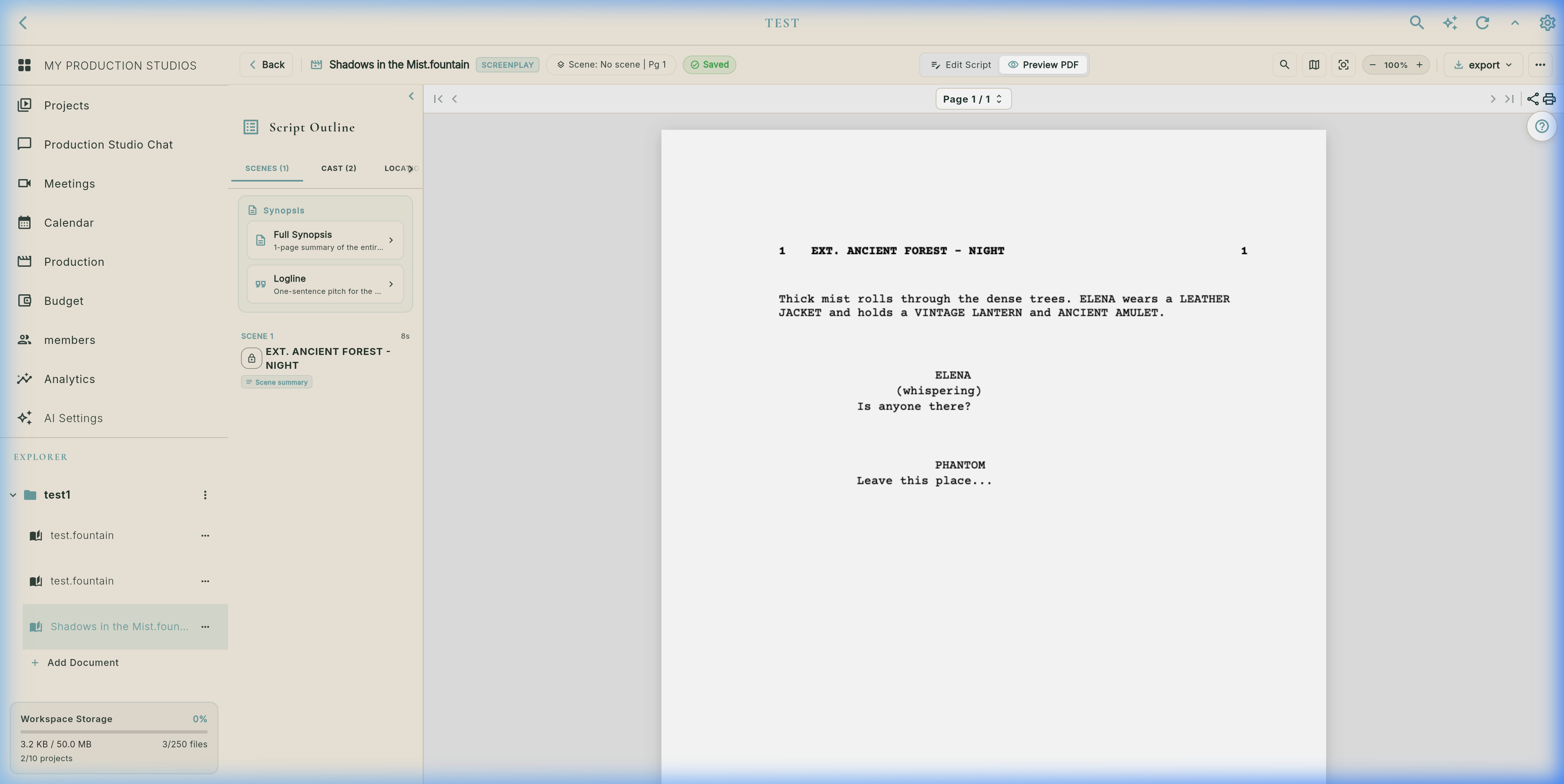
Direct 1-tap toggle via the PDF icon in the header bar. Renders pixel-accurate print layout with page numbers, slugline margins, character cue positioning, and revision asterisks in the right margin.
⚙️ Script Tools, Analytics, Goals & Snapshot Checkpoints
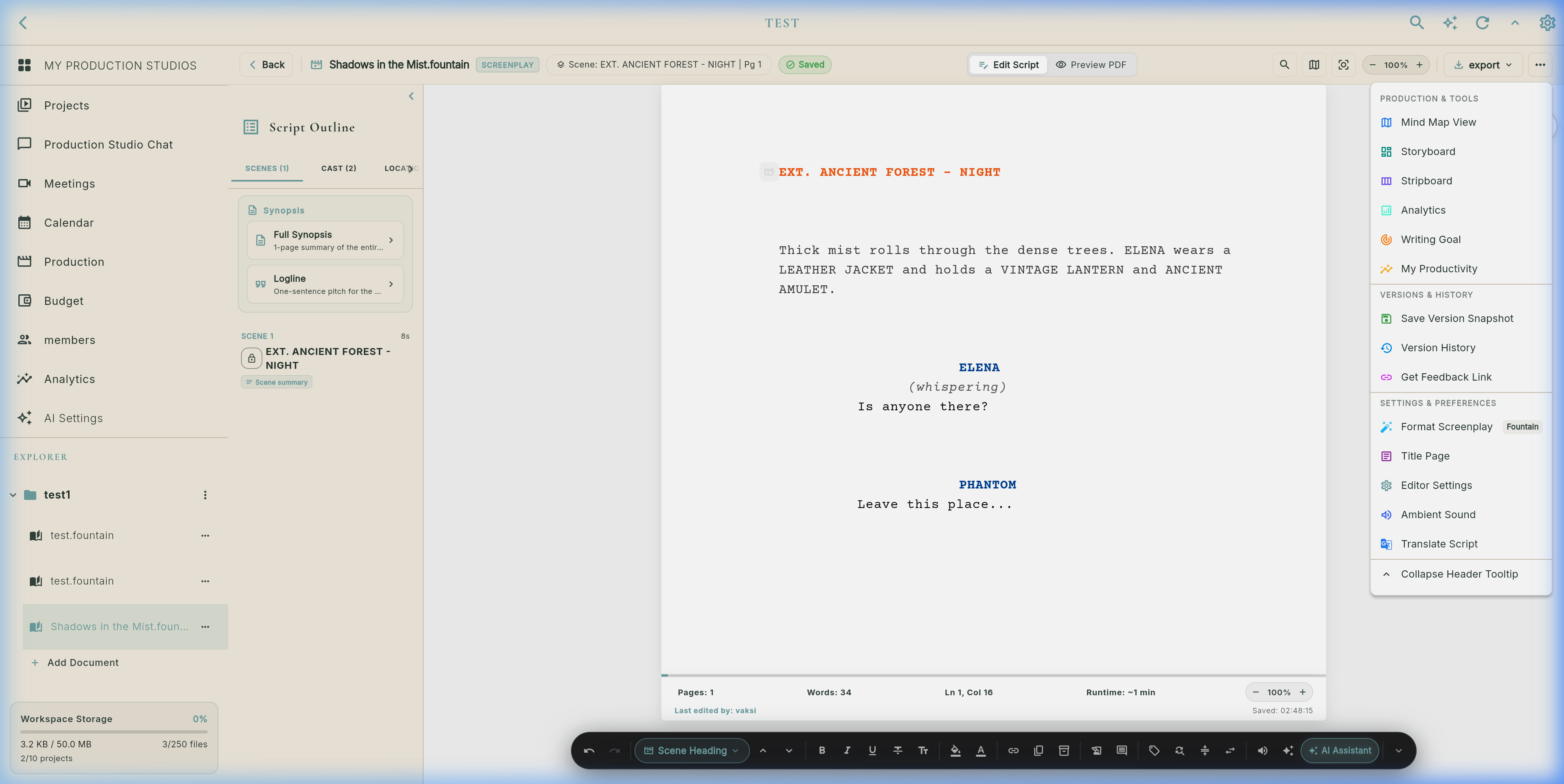
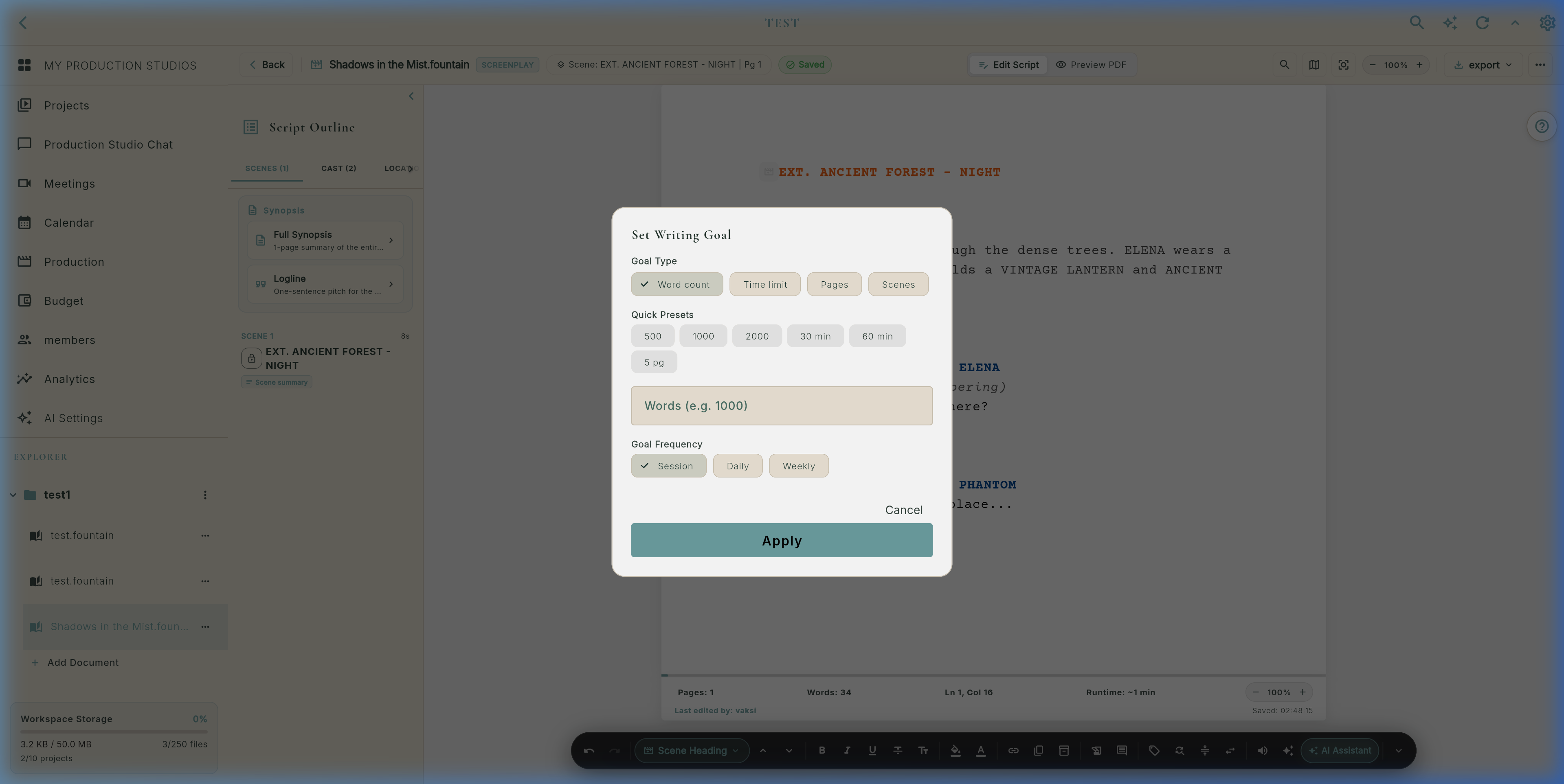
Set daily word count targets (e.g. 500 words/day), page milestones, writing sprint countdowns, and track your active streak.
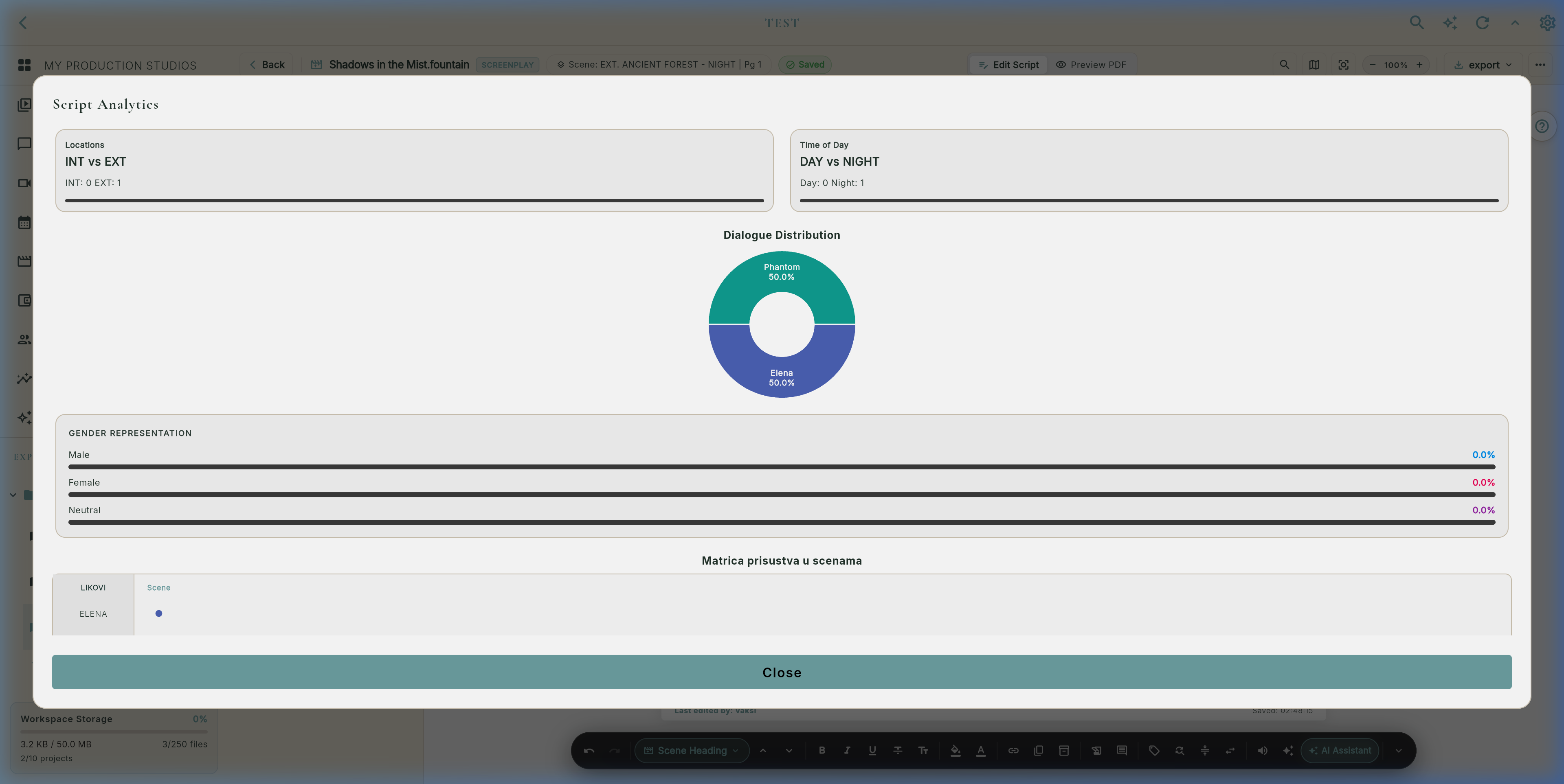
Deep metrics: total word count, estimated screen running time, scene count, dialogue-to-action ratio, and top speaking characters.
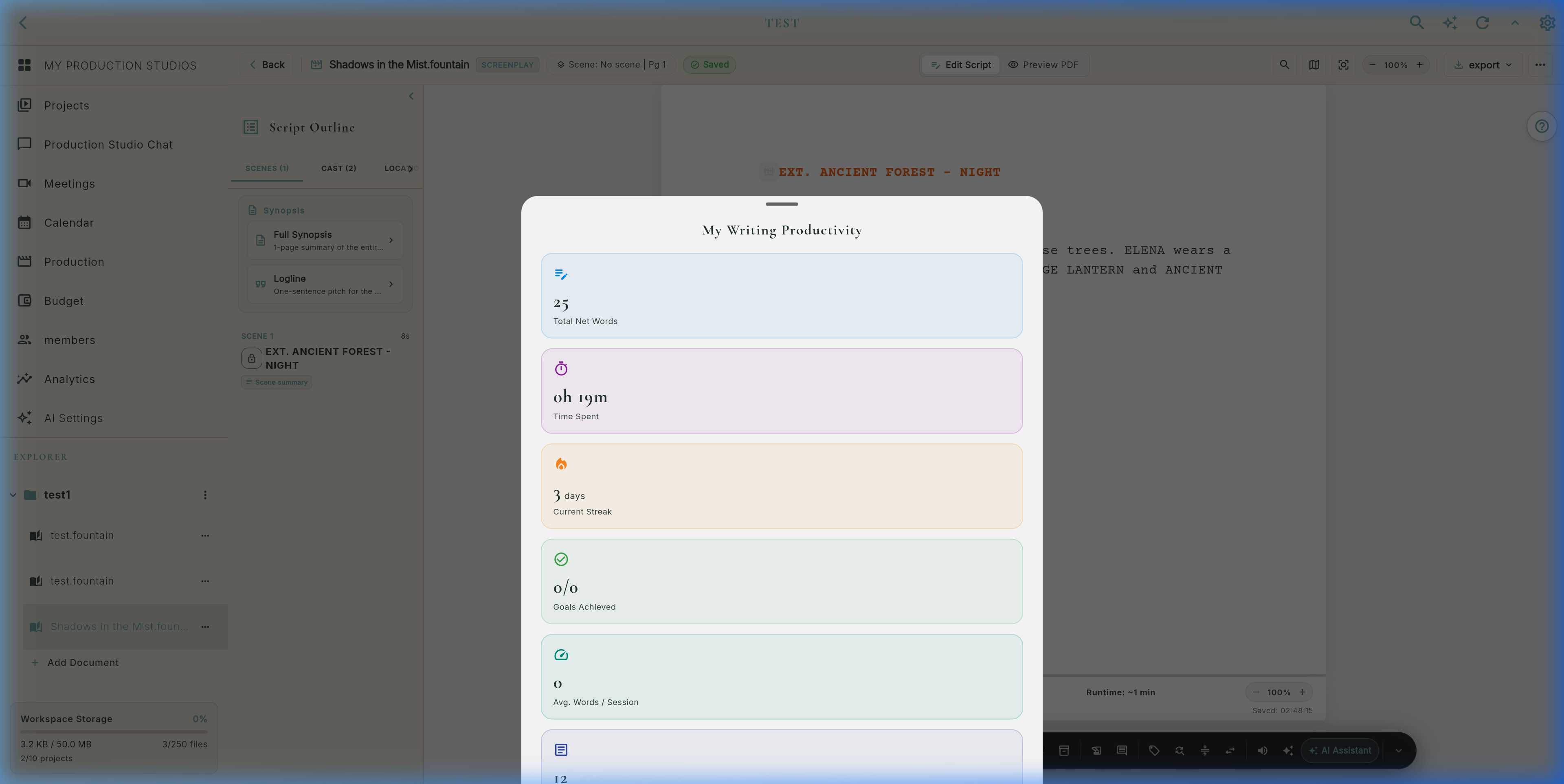
Live writing session tracker (`WritingSessionService`): records words written per session, active typing duration, and output velocity.
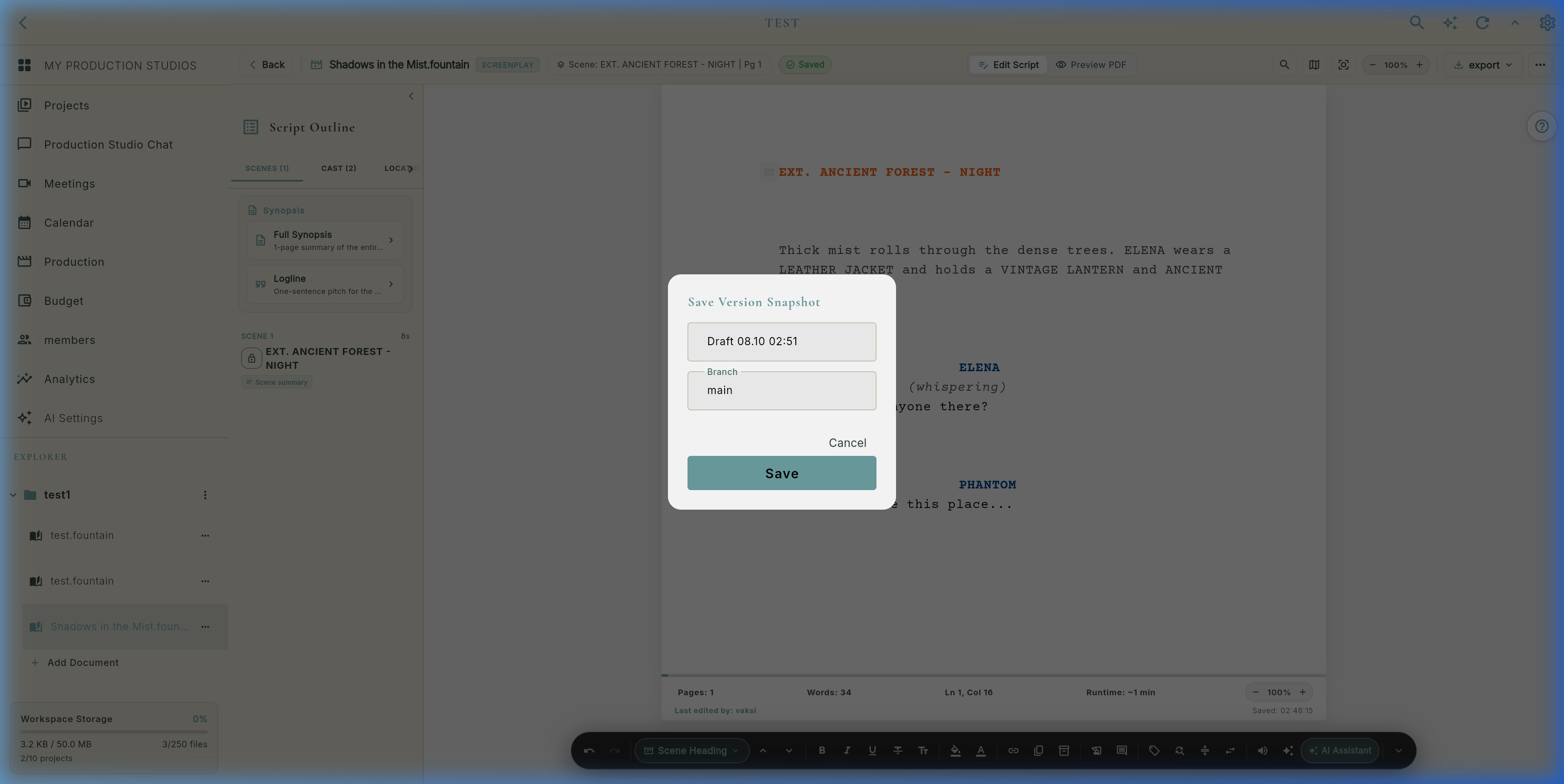
Creates named revision checkpoints with commit notes, branch names (`main`, `director_cut`), and Hollywood revision colors.
Stage 2: AI Script Breakdown (9 Categories) & "Send to Budget" Bridge
The AI Breakdown engine (breakdown_panel.dart & ScriptElementExtractor) parses scenes in real time. Every element is categorized, linked to its scene line numbers, and offered with an Approve/Reject review flow.
Identifies all speaking characters (JANE, MILLER), dialogue line counts, and scenes present.
Groups set headings (WAREHOUSE, PENTHOUSE) for location scouting and unit base logistics.
Extracts handheld items (revolver, briefcase, bloodied map, vintage lighter) for prop master prep.
Flags costume changes, period garments, tactical gear, and continuity distress states.
Flags hero vehicles, pursuit cars, motorbikes, helicopters, and driving rigs.
Triggers animal coordinator, wrangler requirements, and humane compliance checks.
Detects digital matte paintings, muzzle flashes, green screen plates, and CG creatures.
Detects high falls, wire stunts, fight sequences, glass breaks, and precision driving.
Practical pyrotechnics, squibs, rain bars, snow machines, and atmospheric smoke.
💰 AI Budget Generation & "Send to Budget" Bridge
Automated financial forecasting powered by BudgetGenerator, AiBudgetService, and ProjectBreakdownBridge.
ProjectBreakdownBridge bridges script analysis to accounting:
- Approved breakdown elements convert to line items automatically.
- Maps Cast to Above-the-Line, Props/Vehicles to Production BTL.
- Preserves scene counts, character dialogue frequency, and quantity tags.
- Zero double-entry errors between screenwriting and accounting.
AiBudgetService.enrich(budget) calculates realistic market costs:
- Market Rates: Estimates daily/weekly rates based on genre and project scope.
- Union Fringes & Kits: Adds SAG/IATSE fringes, kit rentals, and transport fees.
- Contingency Reserve: Dynamically calculates 10%–15% buffer reserves.
- Multi-LLM: Uses Gemini 2.5 Flash, GPT-4o, or Claude 3.7.
Built-in safeguards for line producers and production accountants:
- AI Draft Badge: Items are tagged with AI Draft until producer approves.
- Inline Cell Overrides: 1-tap edit for quantities, daily rates, and line codes.
- Currencies & Templates: Supports USD, EUR, GBP, RSD with standard US CA/AICP templates.
- Export Ready: Instant export to Excel/CSV and PDF financial packages.
Stage 3: Production Risk Scanner (15 Classes) & Screenplay Linter (12 Rules)
Deterministic local scanner (risk_scanner.dart) flags production and legal hazards directly from screenplay text:
Evaluates formatting conventions in real time (screenplay_linter.dart) with automatic auto-fix suggestions:
- Character Cues: Enforces ALL CAPS for speaker headings.
- 55-Line Pagination: Flags double blank lines that skew page count.
- Wall of Text: Warns when action blocks exceed 4 lines.
- Monologue Check: Identifies uninterrupted long speeches.
- Present Progressive: Flags passive "is running" instead of active "runs".
- "We See / We Hear": Flags amateur camera directions ("Show, don't tell").
- Orphan Parentheticals: Detects unclosed
(whispers)without dialogue. - Slugline Validation: Enforces standardized INT./EXT. formatting.
- Widow Dialogue Lines: Catches lone syllables orphaned across page breaks.
Stage 4: Hollywood Revision Colors, Margin Asterisks & Git-Like Branching
In Hollywood production, once a shooting script is locked, scene numbers and page numbers must remain immutable. Flik delivers studio-grade revision tracking via script_version_history_sheet.dart and SceneLockProvider.
Locks scene numbers during production. When a new scene is inserted between Scene 14 and 15, Flik automatically labels it Scene 14A, preventing call sheet and stripboard desynchronization!
Branch off any snapshot into an alternate draft (e.g. director_cut or alt_ending). Promote any snapshot with Set as Head without destroying your main timeline.
Open RevisionCompareView for side-by-side diffing. Cherry-pick specific scene edits across branches with automatic merge conflict protection.
📸 Live Snapshot & Version History Interface
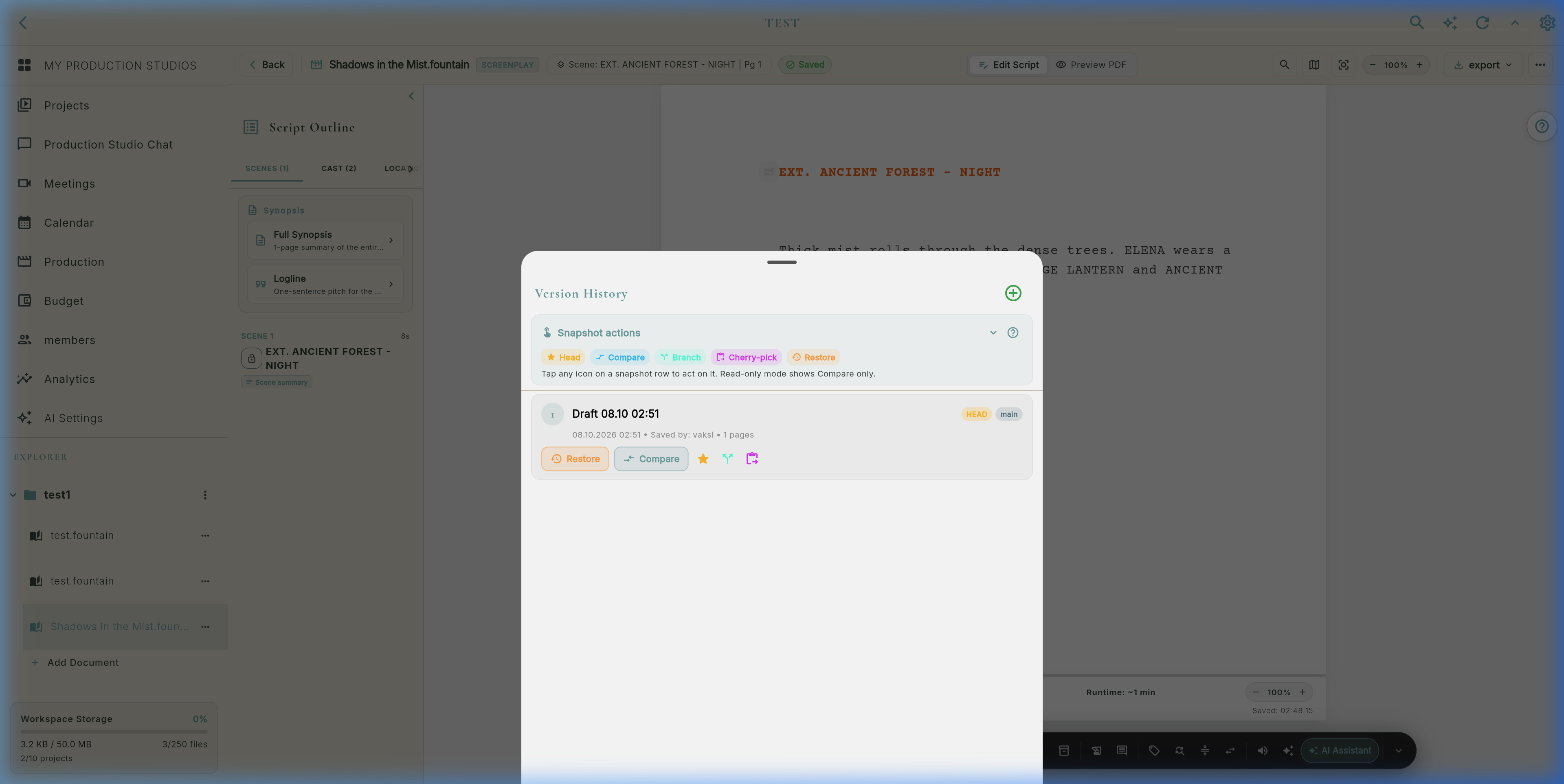
Stage 5: Visual Ideation Suite (Storyboard, Mind Maps & Sketching)
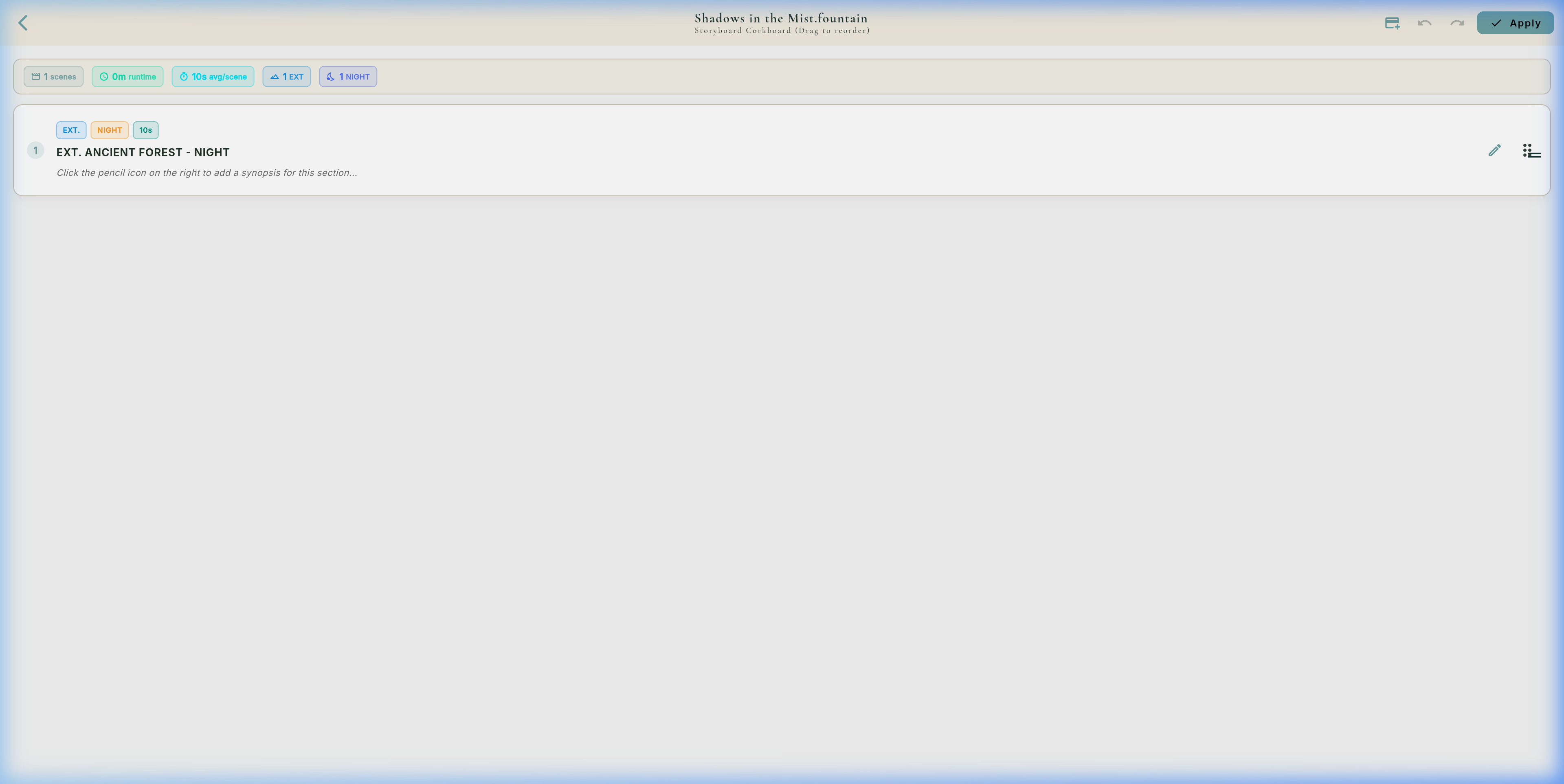
storyboard_corkboard_view.dart: Reorder scenes visually on a corkboard. Each card displays scene sluglines, estimated runtime, synopsis, and emotional beat colors.
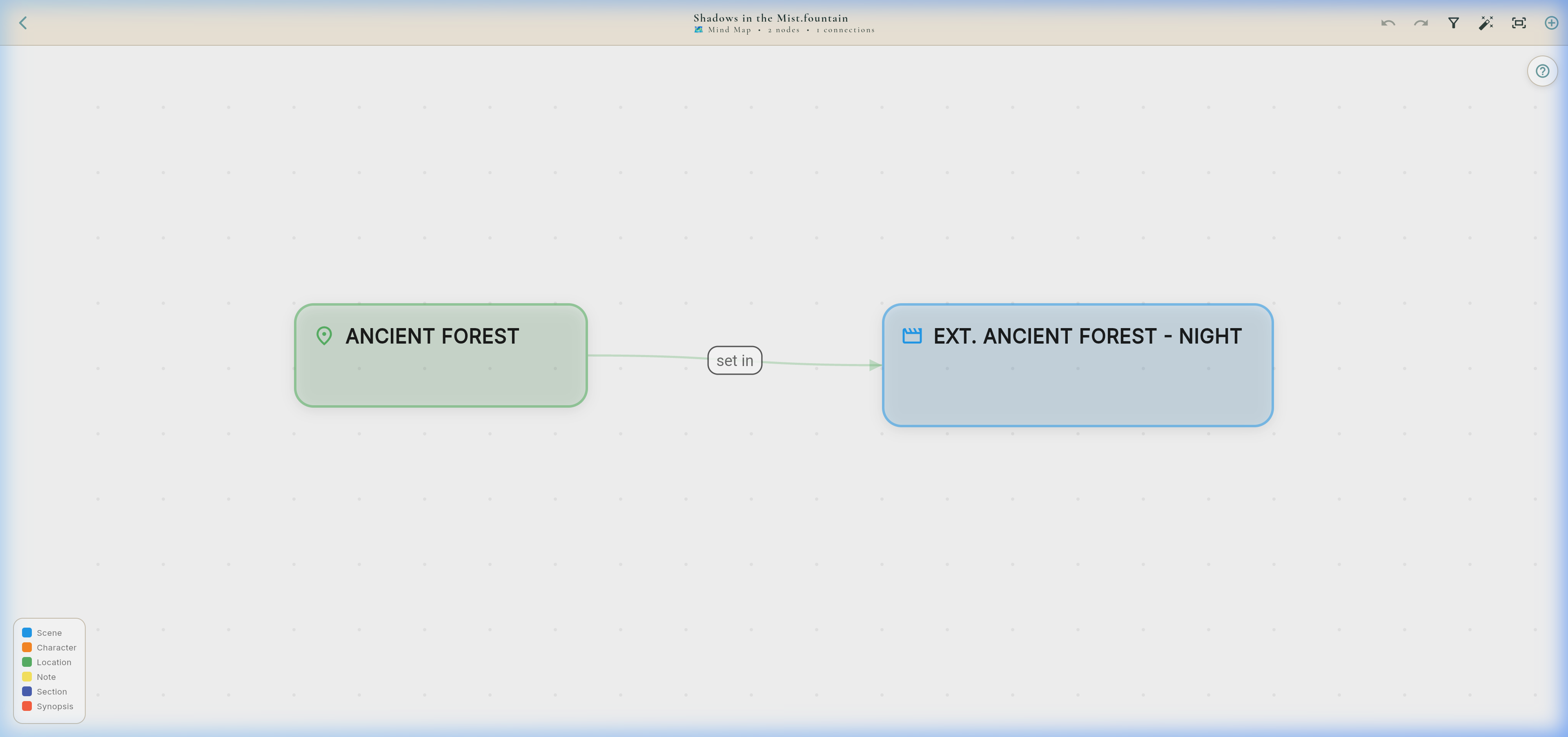
mind_map_view.dart: Non-overlapping categorical lane layout connecting story acts, themes, subplots, and character arcs with real-time cloud sync.
sketch_editor_view.dart: Vector storyboard canvas with camera aspect ratio masks:
16:9 (UHD), 2.39:1 (Anamorphic), 4:3 (Academy), and 9:16 (Vertical Mobile).
Stage 6: Stripboard & Day Out Of Days (DOOD) Cast Matrix
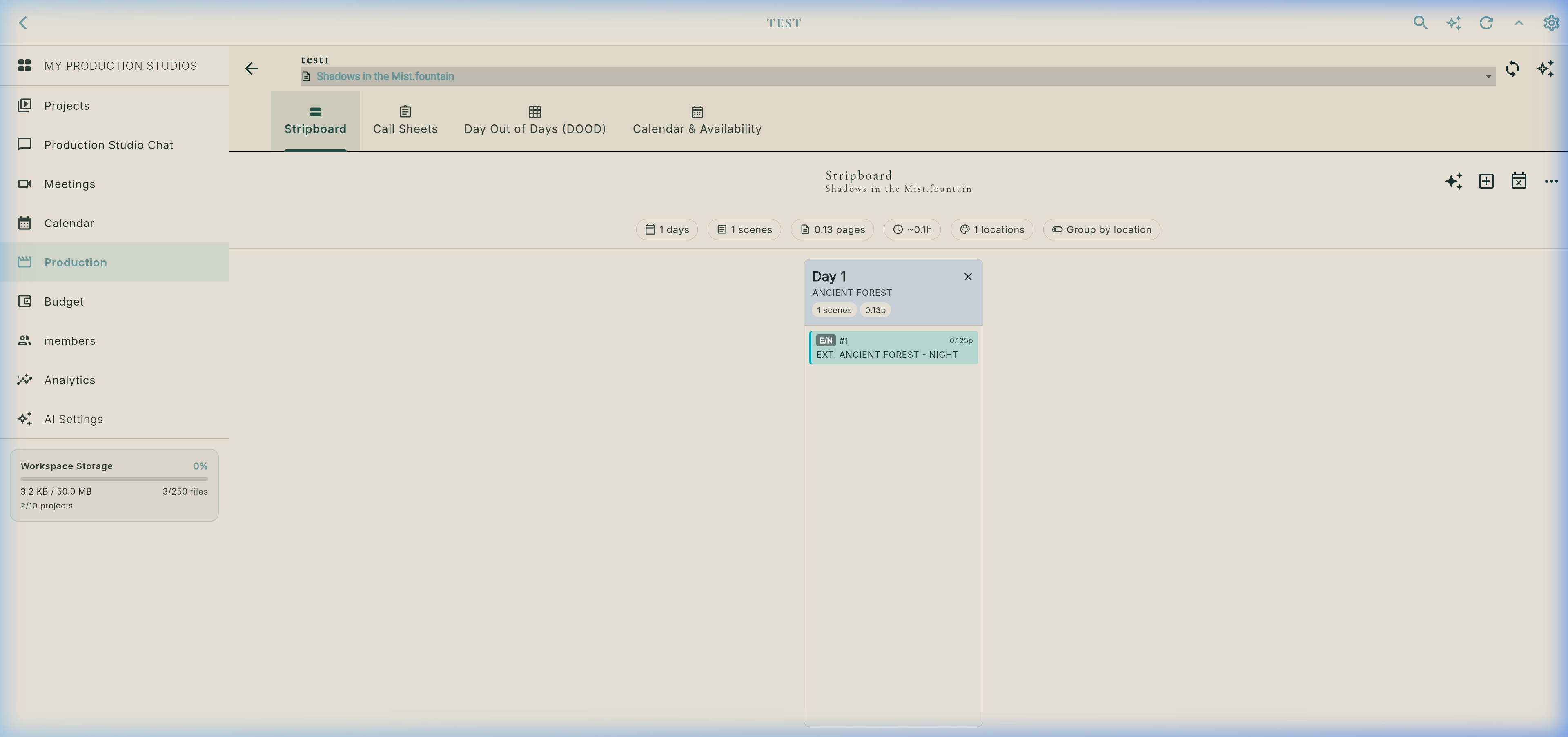
Real Day Out Of Days (DOOD) Cast Tracking Interface
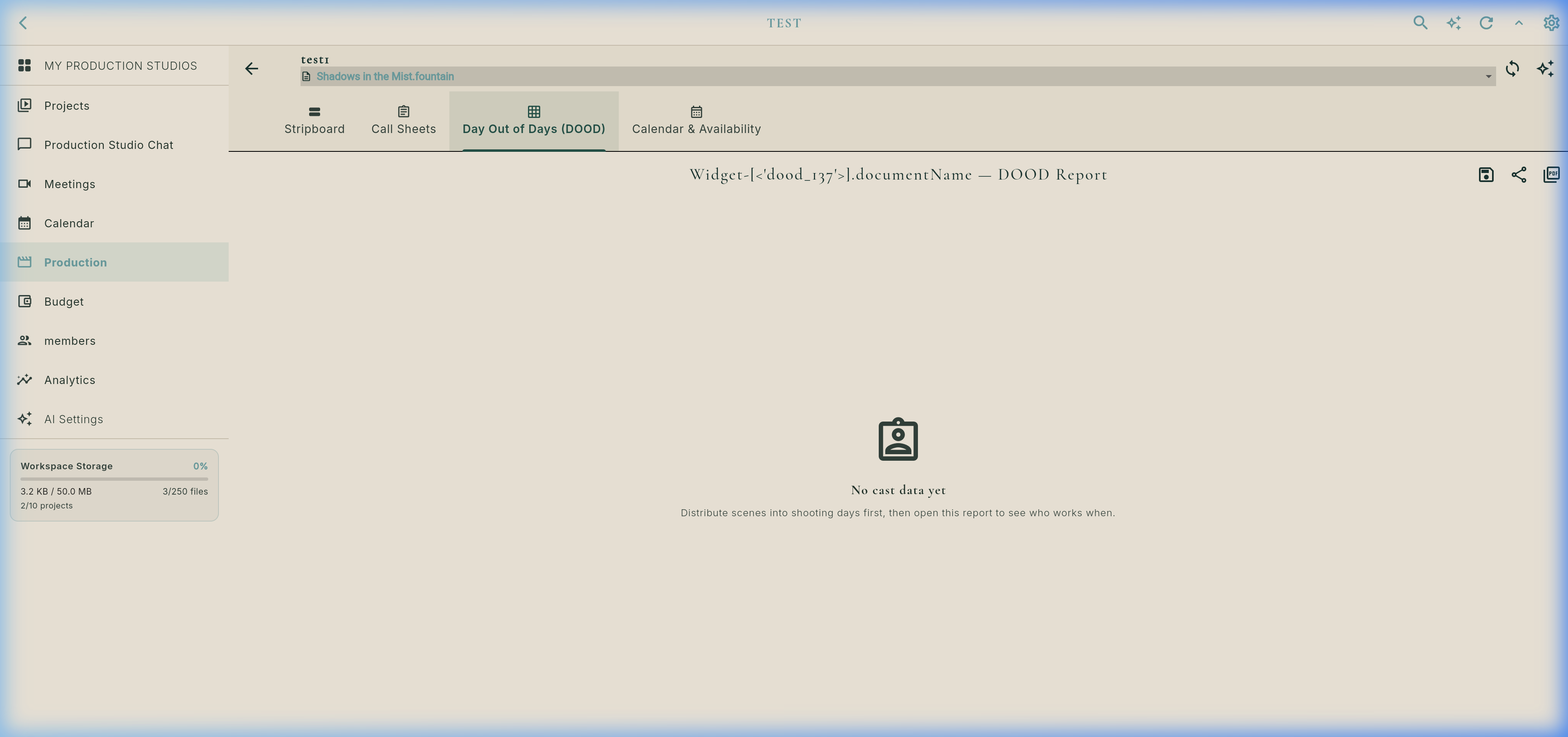
DOOD Cast Status Codes & Logic (`dood_view.dart`)
Legend: SW = Start Work | W = Work | H = Hold (Idle Paid Day) | WF = Work Finish | D = Drop (Released).
| Cast Member | Day 1 (Mon) | Day 2 (Tue) | Day 3 (Wed) | Day 4 (Thu) | Day 5 (Fri) | Total Paid |
|---|---|---|---|---|---|---|
| 1. JANE (Lead) | SW | W | H | W | WF | 5 Days |
| 2. DETECTIVE MILLER | D | SW | W | WF | D | 3 Days |
| 3. DR. CHEN (Supporting) | SW | WF | D | D | D | 2 Days |
Stage 7: Daily Call Sheet Generator & Availability Matrix
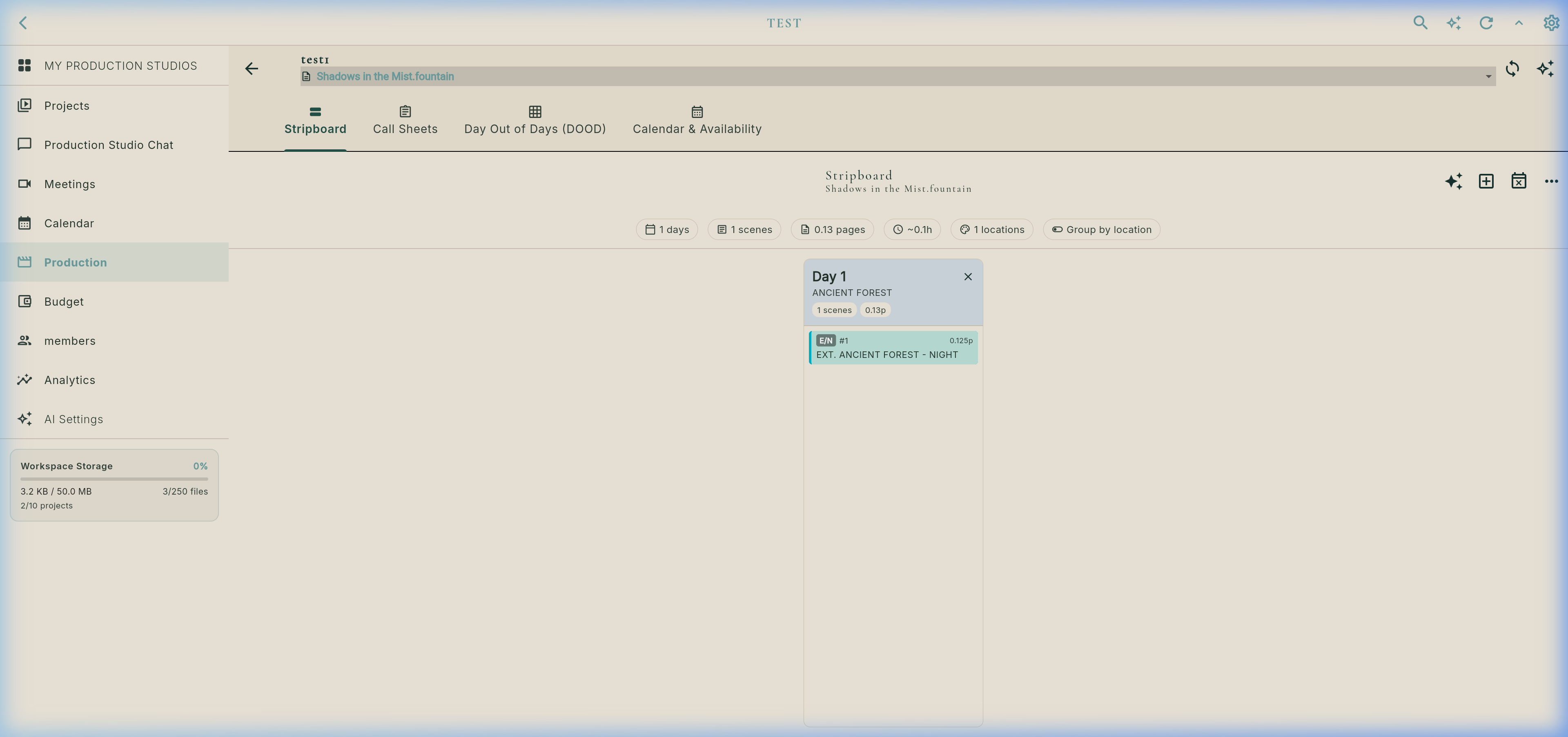
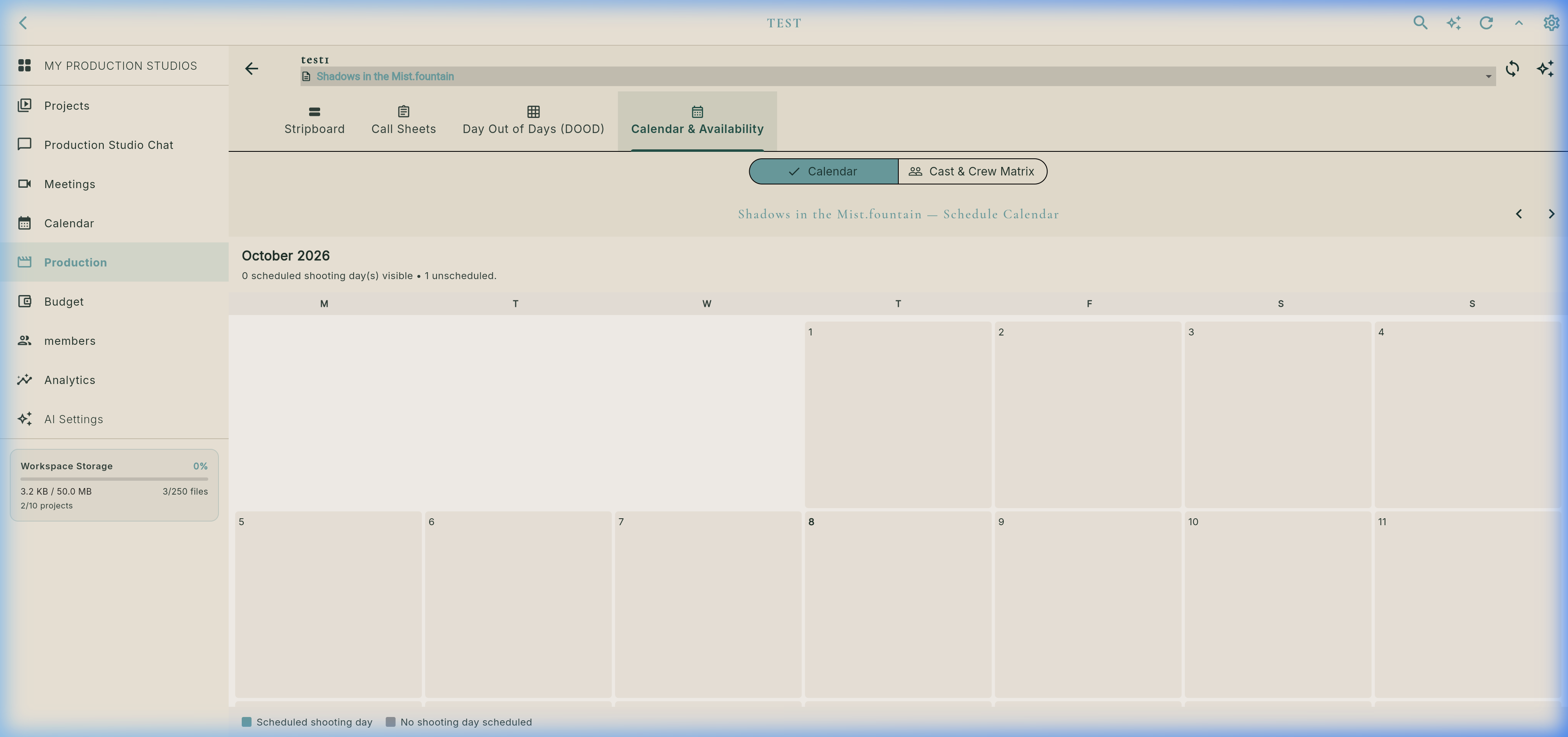
Real Production Calendar & Crew Availability Grid
- Astronomical SunCalculator: Computes sunrise, sunset, and golden hour based on shoot location GPS latitude & longitude without needing an internet connection.
- Live Weather Service: Temperature, humidity, wind speed, and weather notes.
- Emergency Medical Info: Nearest hospital name, emergency room address, and direct emergency telephone line.
- Departmental Call Times: Crew call (06:30), Cast pickup (07:00), Hair/Makeup (07:30), On Set (08:30).
- One-Click PDF Export: Outputs industry standard A4/US-Letter call sheet PDF straight to Downloads and WhatsApp/Slack share sheets.
AvailabilityMatrixScreen continuously cross-references team member personal availability against scheduled shoot days in the Stripboard.
Stage 8: Industry Formats, Export Engine & Cloud Collaboration
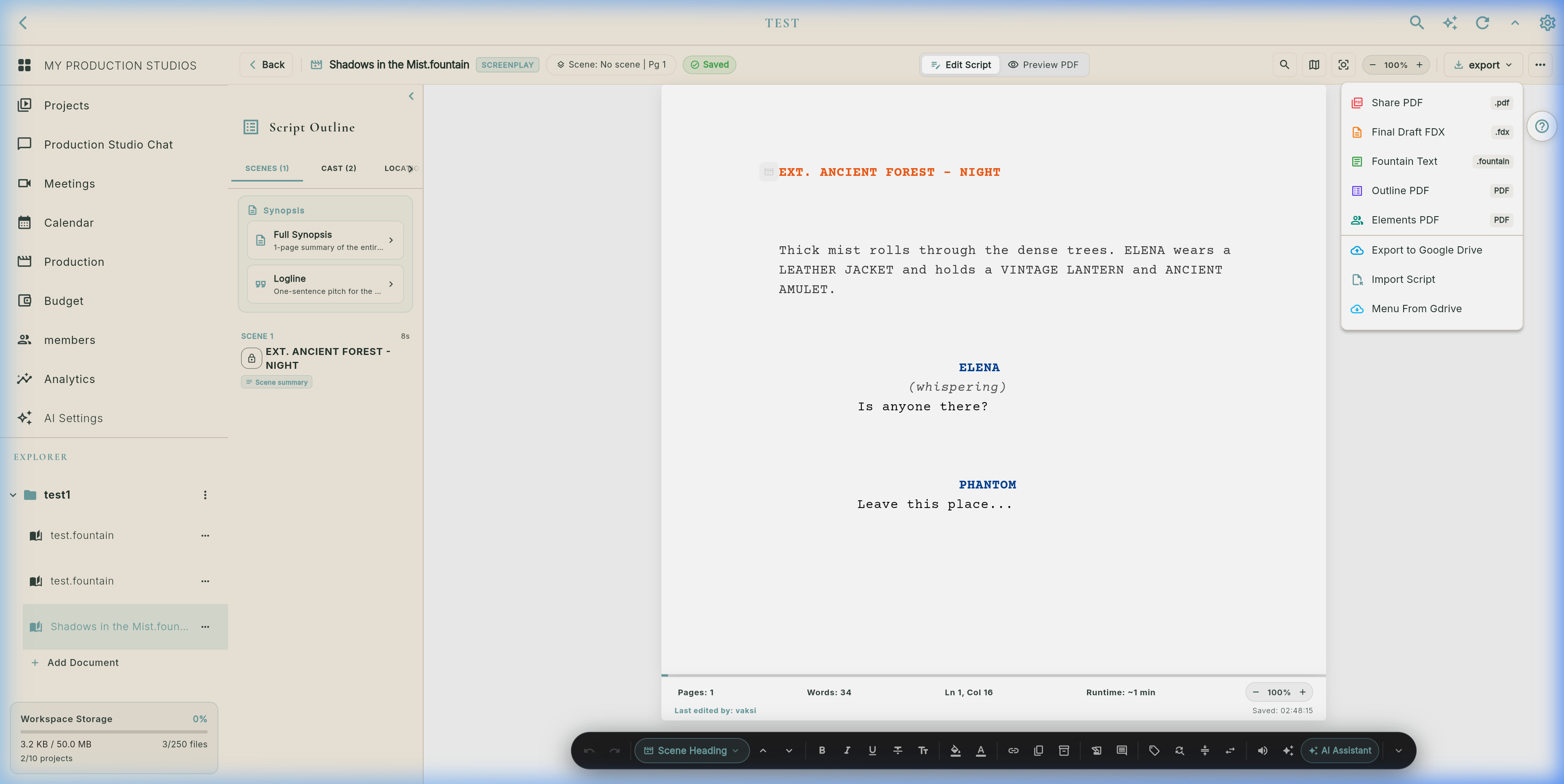
Studio supports universal studio document formats with automatic type routing:
- 📊 Tables & Spreadsheets (
table_editor_view.dart): Native 2D editable spreadsheet grid for.csv,.tsv,.xlsx,.xls,.numbers, and.ods. Edit cells, add rows/columns, and persist as 2D JSON arrays. - 📄 PDF Documents (
.pdf): Embedded interactive reader, visual page layout preview, and text extraction alongside screenplay drafts. - 📝 Word Processing: Microsoft Word (
.docx,.doc,.docm), OpenDocument (.odt), Rich Text (.rtf), and Markdown (.md). - 🎬 Screenplays: Final Draft XML (
.fdx,.fdr) and Fountain (.fountain) with dual-dialogue preservation. - 🎨 Visual Canvas & Boards: Visual moodboards and sketch files (
.sketch,.board,.flikboard).
Lossless distribution across standard production formats:
- Industry PDF (
fountain_pdf_generator.dart): Courier 12pt, title page, revision colors, scene numbers, and 55 lines/page pagination. - Final Draft XML (
.fdx): Clean XML with full character list and dual dialogue. - Fountain (
.fountain): Standard plain text for cross-platform editors. - Outline & Element PDFs: Beat summaries and departmental breakdown sheets for line producers.
- Google Drive Sync: Direct cloud backup into your team's shared production drive.
Flik Studio provides Google Docs-grade real-time collaboration with line-precise spatial awareness:
_buildWebCollaboratorsAvatars renders circular user avatars with unique colors and pulsing online rings. Hovering or tapping shows a tooltip: "Jane Doe is editing Scene 3: EXT. FOREST".
Tapping any collaborator avatar calculates their active line offset (line++ per newline) and triggers _scrollToLineIndex(line), smoothly scrolling your viewport directly to the line they are typing!
remoteCursors: _remoteCursors renders floating colored carets and username tags directly on the active line in the text canvas. Firestore locks safeguard against conflicting edits.
Stage 9: Studio Production Calendar & Crew Availability (`schedule_calendar_screen.dart`)
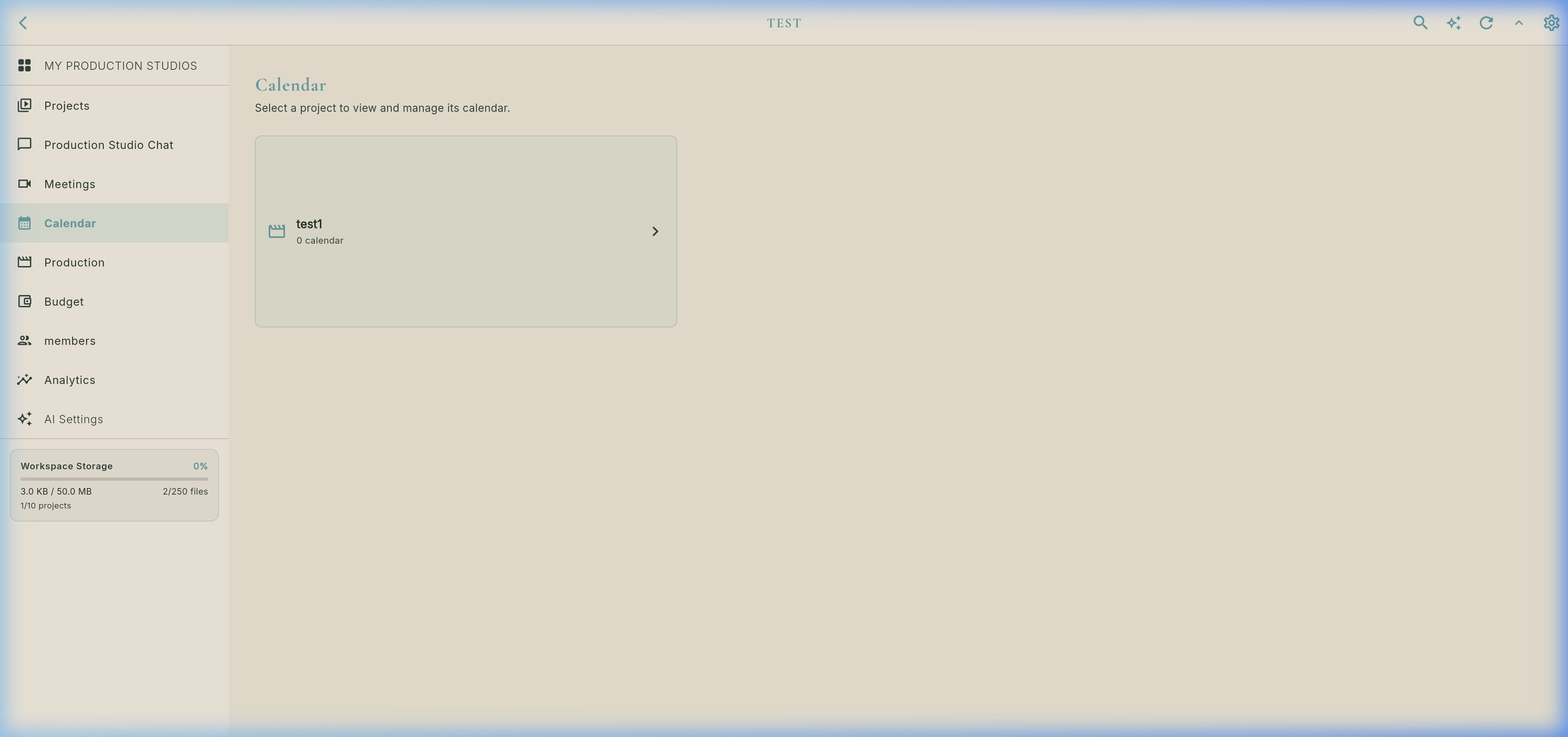
Cast & Crew Availability Grid (`cast_crew_availability_matrix.dart`)
Stage 10: Workspace Dashboard & Multi-Document Hub (`workspace_dashboard_screen.dart`)
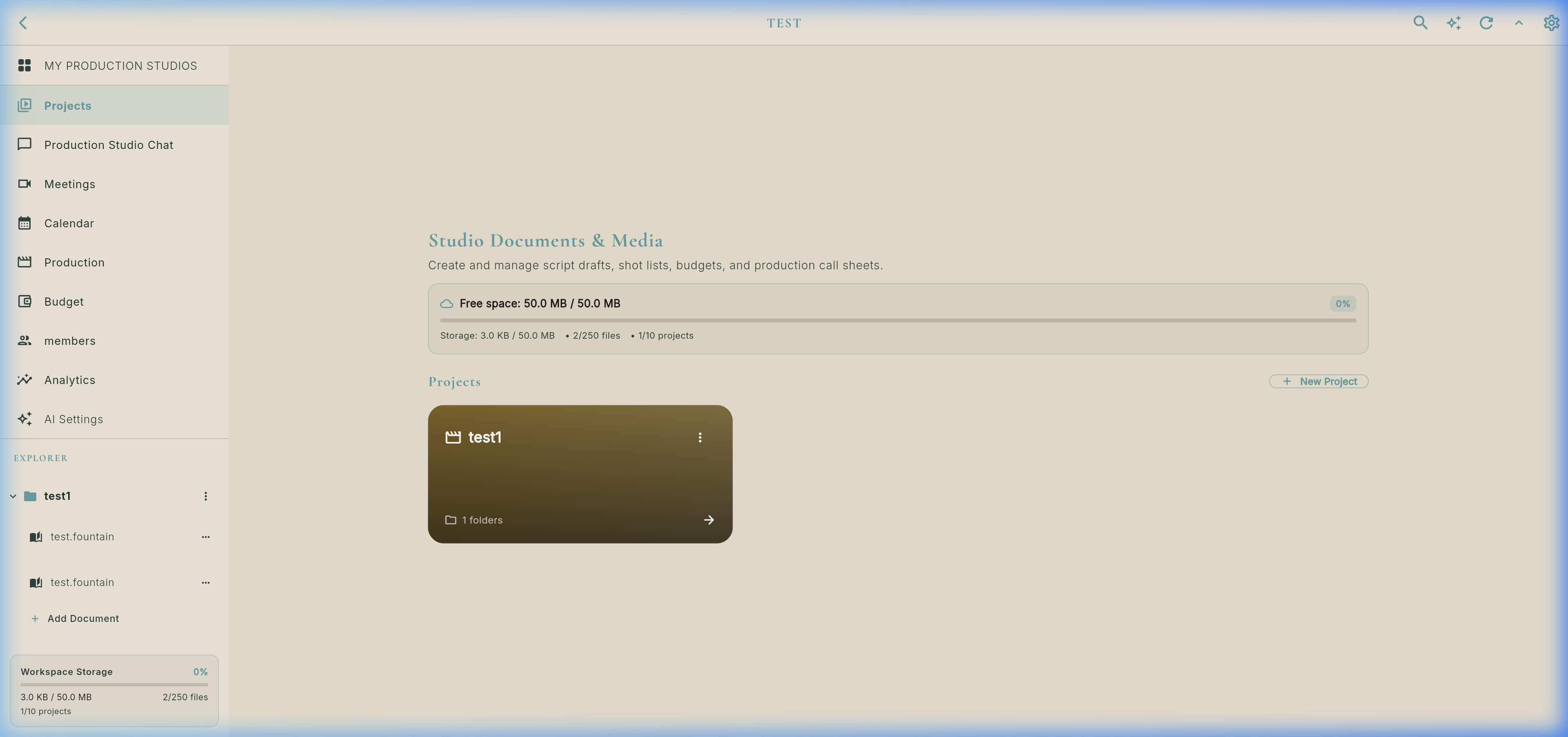
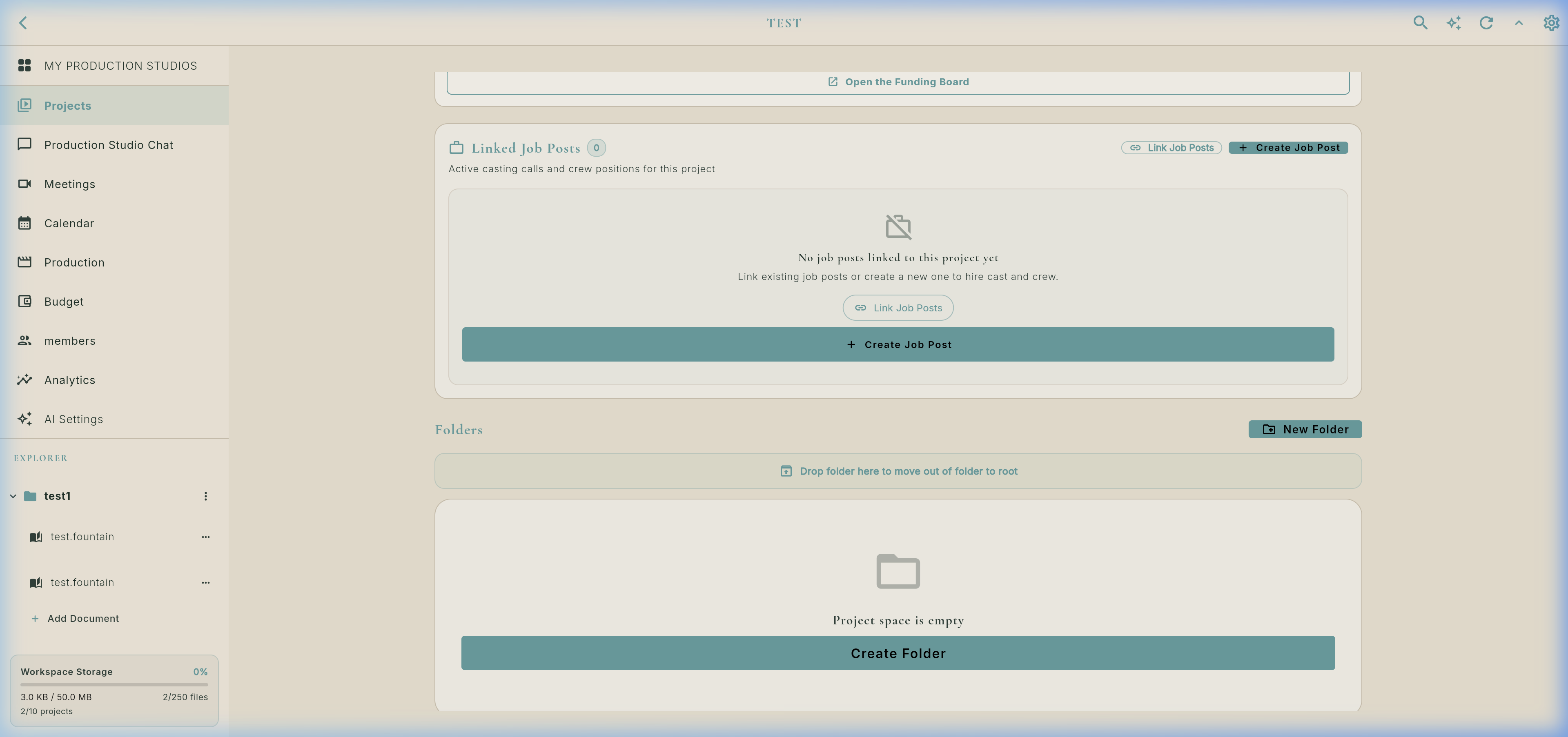
Real Project Explorer & Document Tree
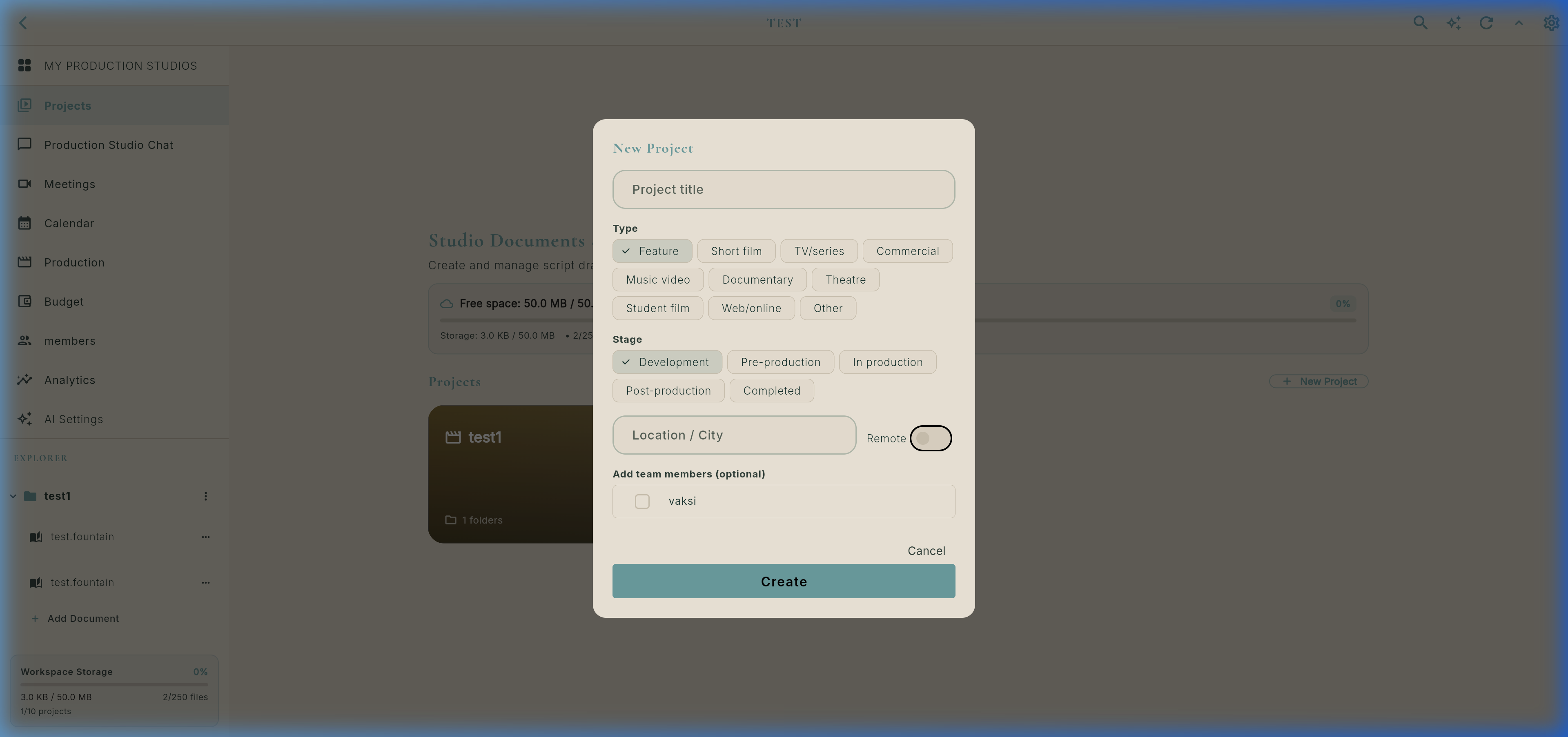
Real Project Creation Modal (`ProjectCreateDialog`)
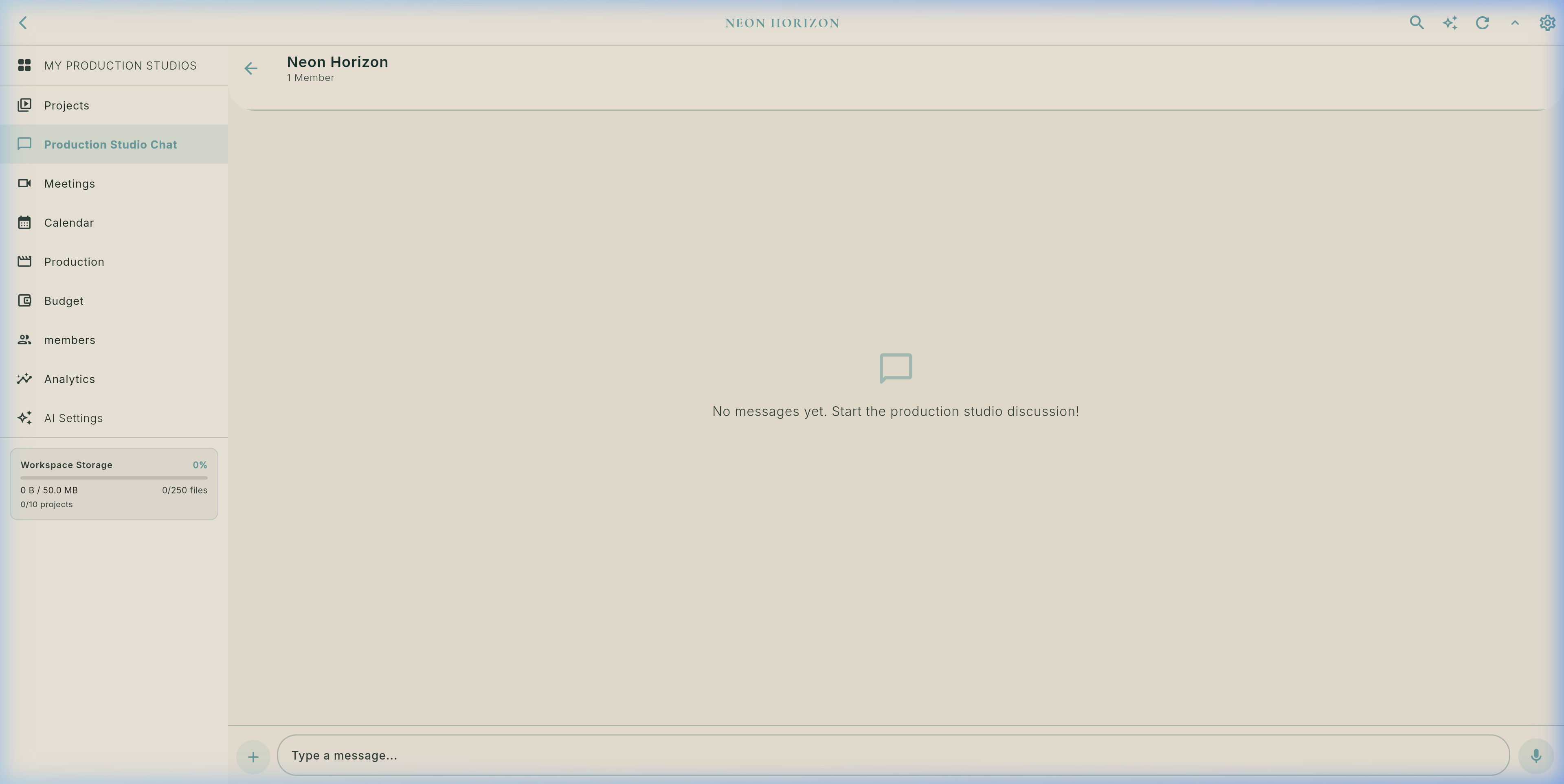
💬 Dedicated Production Studio Team Chat (`WorkspaceChatScreen`)
Isolated Per ProjectEvery workspace has a dedicated production group chat accessible via the Chat tab on the Studio Dashboard. Keep director notes, department discussions, on-set voice memos, script references, and call sheet updates organized per production without cluttering individual DMs.
Integrated VoiceRecorderWidget lets directors speak notes hands-free with real-time waveform playback.
SharedContentBubble links specific screenplay scenes or beats directly into the chat for 1-tap jumping.
Attach PDF call sheets, sides, reference stills, and storyboards directly into the production channel.
📹 Production Meetings & Automated Zoom Link Generation
MeetingType.zoomSchedule production meetings directly from the workspace calendar. Select Zoom as the conference platform, and Flik automatically generates a Zoom meeting join link and binds it to the calendar invite and notifications. Alternatively, launch instant encrypted internal video calls with Flik's built-in Jitsi WebRTC service.
🎥 Live Screen Recording: Studio Navigation & Script Auto-Scheduling
Recorded live inside Flik production: creating a new project, adding a Fountain screenplay, writing scenes, switching to the Production Hub, running AI Auto-Schedule, reviewing the Stripboard, opening Call Sheets, and checking the Day Out of Days (DOOD) cast matrix.
Stage 11: Production Team, Workspace Access & Granular Permissions Matrix (`workspace_dashboard_screen.dart` & `workspace_invite_dialog.dart`)
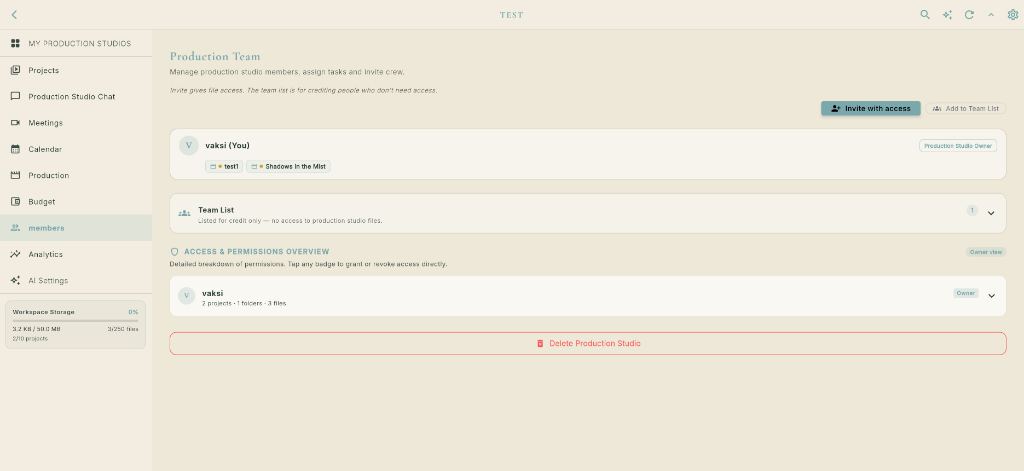
+ Invite with access sends a database invitation granting authenticated file access. In contrast, Add to Team List lists crew for call sheet crediting only with zero file access.Analytics tab is strictly restricted to Studio Owners and members granted the can_share permission. Standard members cannot view analytics.👥 Workspace Team Invitation Architecture
Isolated Workspace HubIn Flik Studio, every production is encapsulated within a Workspace (e.g., TEST or Neon Horizon Studio). The workspace acts as the master security envelope for all scripts, budgets, stripboards, and call sheets. When bringing collaborators onto a production, Flik provides two strictly segregated invitation paths:
Searches the Flik filmmaker network by username or email and dispatches a formal workspace invitation. Once accepted, the collaborator is bound to the workspace database, receives real-time WebSocket sync, and can view or edit projects based on their assigned permission matrix.
Designed for actors, background cast, stunt performers, sound stage crew, and external vendors who must appear on the Official Call Sheet roster, Day Out of Days (DOOD), and end credits, but who must not have access to confidential scripts, production files, or internal studio finances.
📊 Studio Analytics & The `can_share` Security Gate
Owner & Lead Privilege
Production analytics reveal sensitive velocity and cost metrics that should not be visible to general cast or junior crew. Flik enforces a rigorous access gate via the _canShare getter in the dashboard navigation:
Only users who are either the Production Studio Owner or members explicitly granted the can_share permission can see the Analytics tab in the sidebar and access the metrics suite:
- Writing Velocity & Sprints: Real-time words-per-minute, session lengths, and daily page generation counts.
- Scene Completion Rates: Breakdown milestones tracked across INT/EXT and day/night setups.
- Active Writing Streaks: Consistency heatmaps and writing habit tracking for the writers' room.
- Collaborator Session Activity: Active co-writing time, revision logs, and departmental progress charts.
🛡️ Multi-Tiered Granular Permissions Engine (`Access & Permissions Overview`)
Instant Reactive Badge TogglesLocated directly under the members list, the Access & Permissions Overview accordion provides owners and department heads with complete oversight. Tap any badge to immediately toggle permissions on or off with optimistic state updates:
Broad permissions governing general studio membership:
can_view: Browse workspace projects & documents.can_create: Spawn new projects, folders & Fountain scripts.can_edit: Edit workspace details & production config.can_share: Grant invitations & unlock the Analytics tab.
Scoped per specific production (e.g. Shadows In the Mist):
canView(allowedMemberIds): Visible in member's dashboard.canEdit(editMemberIds): Write access to scripts & stripboards.isTeamMember: Assigned official crew role status.showOnPublic: Feature credit badge on public Flik portfolio.
Atomic security down to individual files:
Folder View/Edit: Restrict sensitive folders like "Contracts" or "Budgets".Document View: Read-only access for table reads & sides.Document Edit: Write lock protecting shooting drafts from unintended changes.Live Optimistic Sync: Instant state change with Firestore locks.
Stage 12: Production Budget & Financial Cost Engine (`budget_screen.dart`)
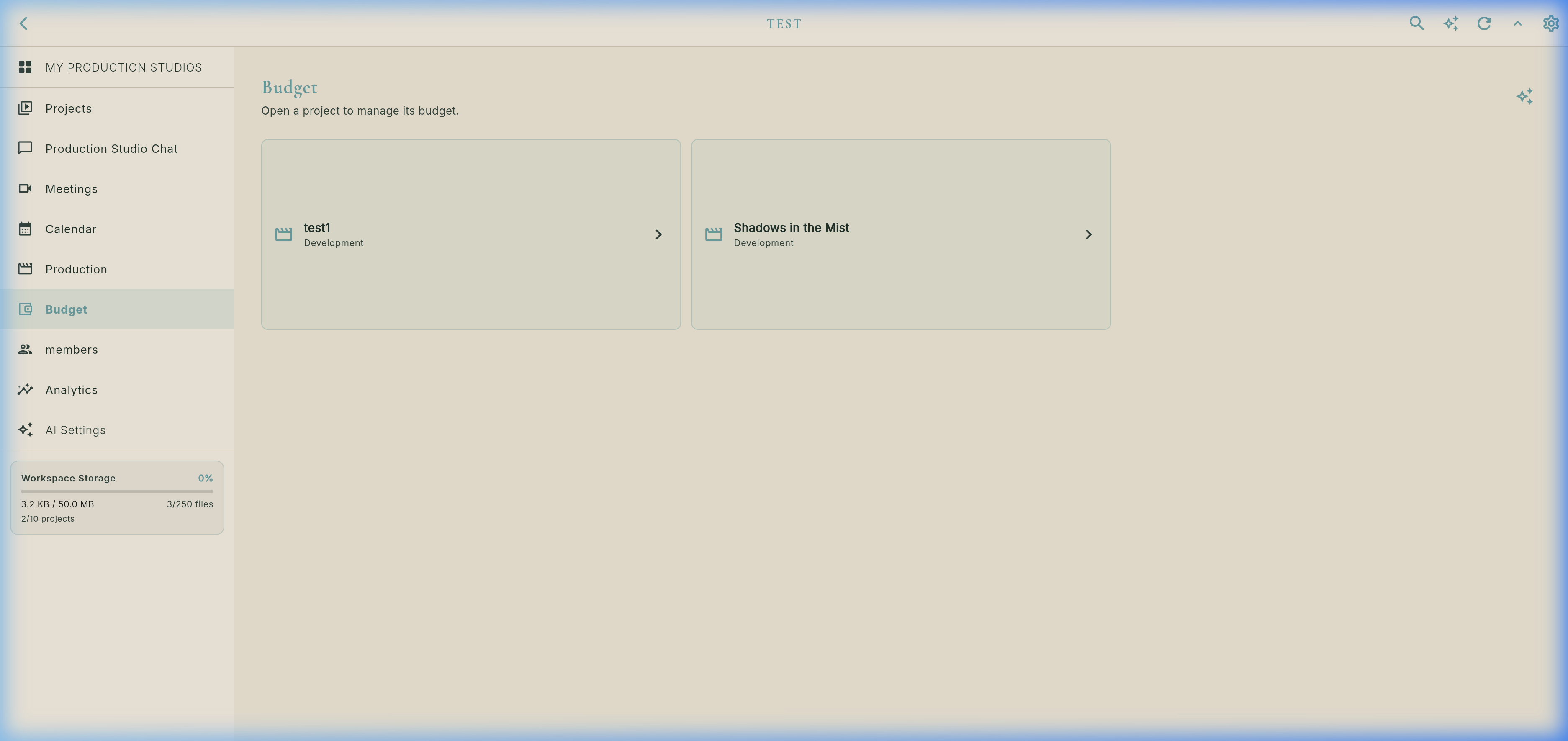
1. Workspace Project Budget Selector (`real_studio_budget_overview.png`)
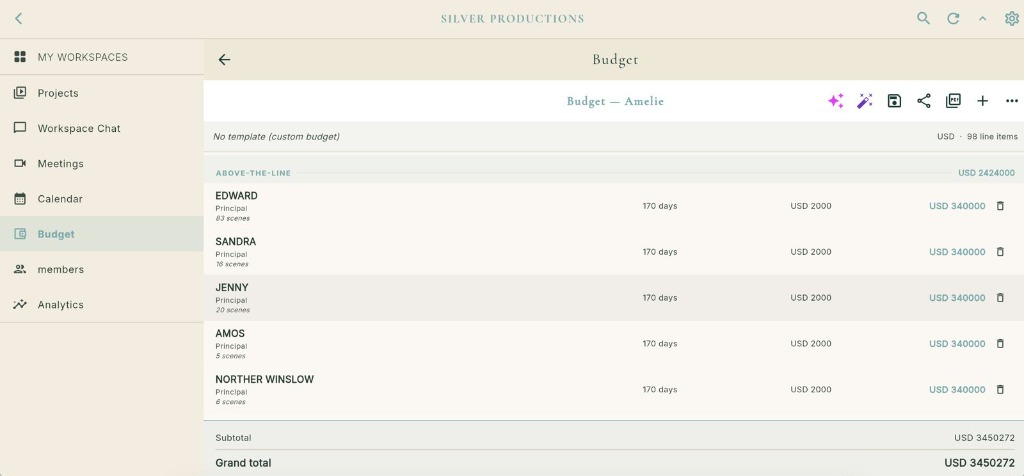
2. Populated Budget Spreadsheet & Cost Breakdown (`real_studio_budget_details.png`)
🎬 Film Industry Cost Categories
Standardized Accounting- Above-The-Line (ATL): Story rights, screenwriters, director fee, executive producers, and principal casting ($2,424,000 in example).
- Below-The-Line (BTL): Production staff, cinematography (DOP, camera gear rentals), gaffer/grip lighting packages, sound recording, production design, wardrobe, transport, and catering.
- Post-Production: Picture editorial, color grading, sound design & 5.1 mixing, VFX CGI shots, original musical score, and master deliverables.
- Contingency & Insurance: Production insurance, completion bond, equipment damage deposit reserves, and 10% emergency overrun allowance.
🤖 AI Cost Estimation & Export Engine
AiBudgetService
Tapping the AI sparkle icon (✨) bridges your screenplay breakdown directly into the budget. The service evaluates:
Calculates required shoot days from the Stripboard (170 days), multiplies by standard union day rates for cast and crew ($2,000/day), calculates required equipment packages, and updates running grand totals in real time ($3,450,272).
When ready, export via the action bar PDF icon (📄) to generate an official print-ready PDF complete with project title, timestamp, category breakdowns, and grand total sticky ledger.
Production Communication Suite
Discover separated messaging channels, isolated project team chats, floating PiP Jitsi video calls, and Zoom automation.
9. Real Messaging & Video Communication (`ConversationsScreen`)
Categorized messaging channels (DMs, Requests, Jobs, Marketplace, Residencies), dedicated Studio Project Team Chats, encrypted internal HD video calling with floating Picture-in-Picture script reader, and automated Zoom meeting link generation.
Never miss a paid gig or equipment rental inquiry in an unorganized inbox. Flik organizes your conversations into 5 dedicated tabs: DMs, Requests, Jobs, Marketplace, and Residencies, preserving transaction metadata and listing details right at the top of each thread.
Every feature film, short, or series in Flik Studio has its own private production group chat (WorkspaceChatScreen). Features on-set audio voice memos with waveform playback, interactive scene reference tiles, and call sheet PDF distribution.
High-definition, end-to-end encrypted video calling powered by dedicated Flik infrastructure (meet.fliknetwork.com). Includes a Floating In-App Picture-in-Picture Mini-Player (FloatingCallWidget), allowing actors, writers, and directors to read screenplays and inspect stripboards live during the call!
Scheduling a production meeting, table read, or audition? Select Zoom (MeetingType.zoom), and Flik automatically generates a unique Zoom join link and adds it directly to the event payload, synchronizing with participants' calendars and push alerts.
Part 1: The 5 Dedicated Messaging Tabs (`ConversationsScreen`)
Real UI Capture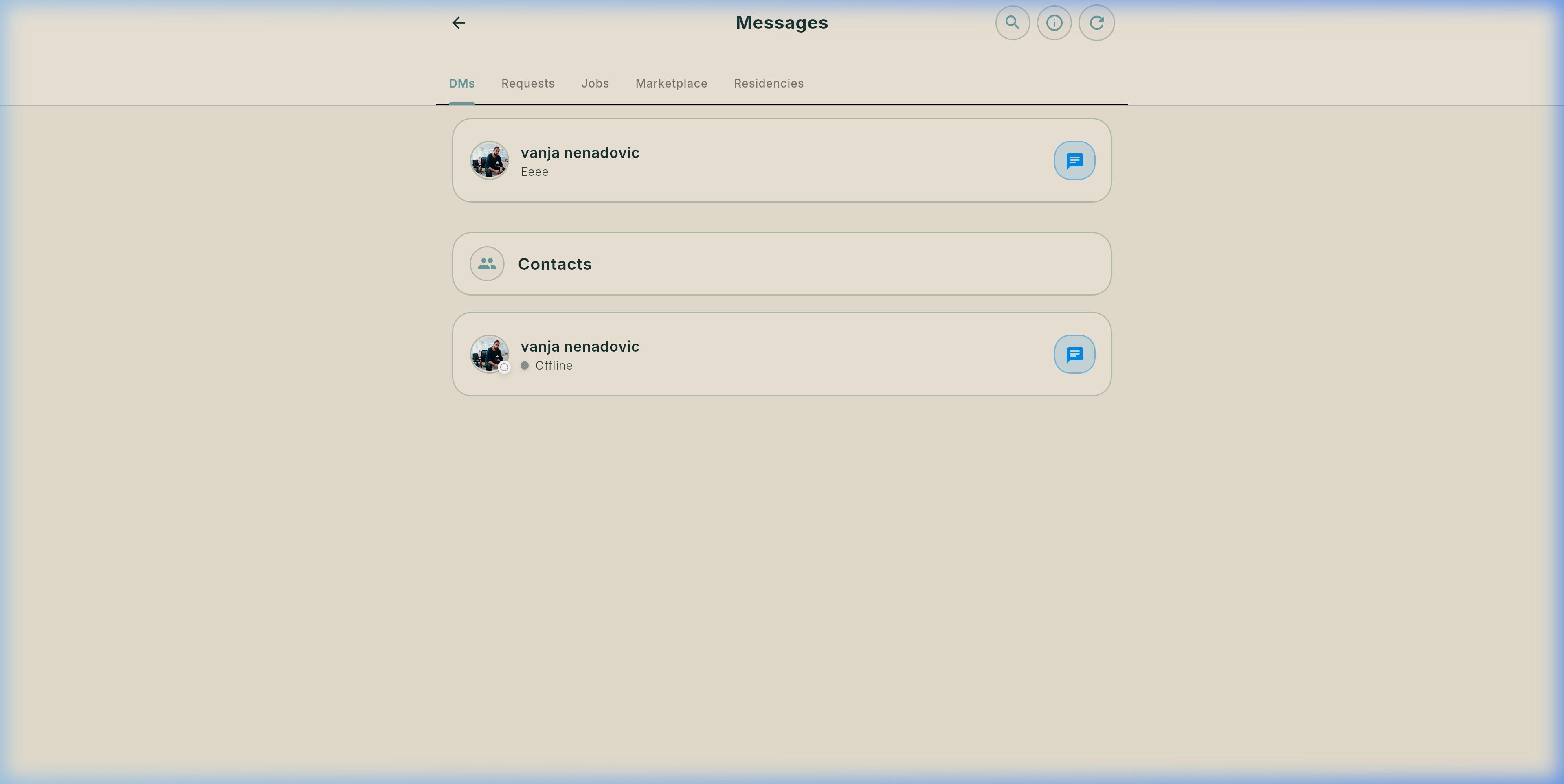
Part 2: Dedicated Production Studio Team Chat (`WorkspaceChatScreen`)
Neon Horizon Studio Production ChatIn Flik Studio, every project workspace contains a secluded group chat accessible through the Chat tab on the Studio Dashboard. Production crews collaborate in real time with multimedia sharing, voice memos, and direct screenplay scene links.
ChatFileBubble, and share storyboard stills or camera test frames via ChatImageBubble.
Part 3: Complete Video Calling Engine — Internal HD Jitsi vs. Automated Zoom
Flik offers a dual-engine video communication architecture designed specifically for the varied demands of film pre-production, table reads, and remote director-DP consultations:
📹 Internal Flik HD Video Calls (`meet.fliknetwork.com`)
Self-Hosted & Encrypted- Dedicated Infrastructure: High-definition video running on Flik's dedicated Jitsi server (
meet.fliknetwork.com) with secure JWT authorization tokens. - Floating Picture-in-Picture Mini-Player: When you navigate away from the call screen, Flik docks the call into a floating overlay (
FloatingCallWidget). You can continue reading your Fountain screenplay, editing dialogue, or adjusting stripboard strips without interrupting the call! - Full Controls: Microphone mute, camera toggle, screen sharing, front/rear camera flip, and active call duration timer.
- Incoming Call Alerts:
GlobalIncomingCallListenerrings inside the app with caller avatar and name, supporting 1-tap accept or decline.
⚡ Automated Zoom Meeting Integration (`MeetingType.zoom`)
Zero-Configuration Links- Automatic Link Generation: When creating a production event or audition with platform set to Zoom, Flik automatically generates a valid Zoom join link and embeds it into the meeting payload.
- Zero Copy-Paste Friction: No need to open Zoom in another tab or paste invitations. The event banner displays: "This meeting will be held via Zoom. A join link will be generated automatically and added to the event."
- Calendar & Push Sync: Attendees receive direct calendar entries with the one-click Zoom URL included in the event description and push reminders.
- Ideal for Large Table Reads: Perfect for script read-throughs with large ensembles, casting calls with outside talent agents, and executive pitch meetings.
| Feature | Internal Flik HD Call (Jitsi) | Zoom Integration | Studio Team Chat |
|---|---|---|---|
| Hosting & Server | Self-hosted meet.fliknetwork.com |
Cloud Zoom Infrastructure | Flik Realtime Backend |
| Link Provisioning | Instant in-app room creation | Auto-generated upon scheduling | Persistent workspace room |
| Script Multitasking | Floating Picture-in-Picture Mini-Player | External Zoom desktop/mobile app | Side drawer alongside script editor |
| Voice Memos | Live audio streaming | Live audio streaming | VoiceRecorderWidget with waveform |
| Screenplay Scene Links | Screen sharing capability | Screen sharing capability | Interactive SharedContentBubble tiles |
| Best Used For | Rehearsals, 1-on-1 director consultations | All-hands table reads, investor pitches | Daily on-set crew coordination |
Your Industry Profile & Preferences
Customize your creative CV, adjust privacy toggles in Settings, and explore Flik's identity validation policy.
10. Real Profile, Settings & Account Validation Hub
Comprehensive masterclass on creator profile customization, account preferences via the Settings Gear icon, and Flik's professional identity validation charter.
Part 1: Real Profile Screen & Top AppBar Controls (`JobseekerAccountScreen`)
Your film industry digital CV displaying verified credits, skills, gear list, and top-right settings navigation.
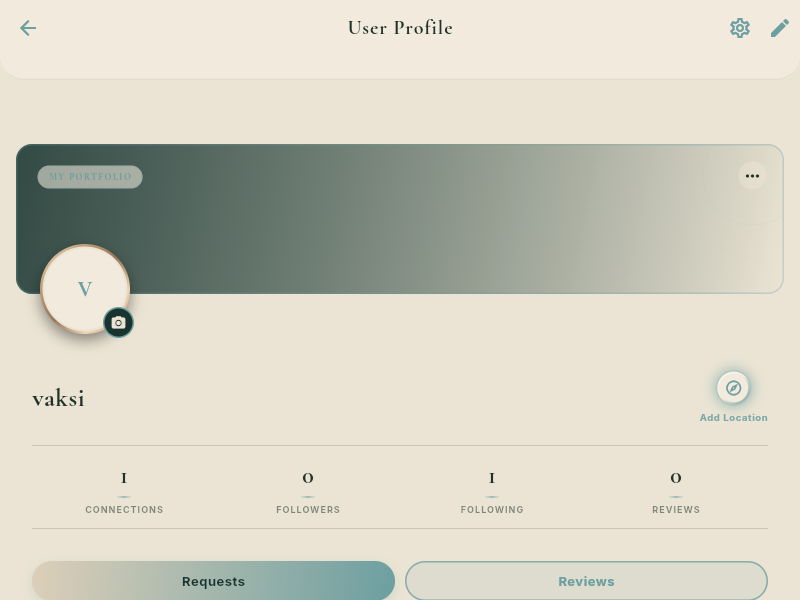
JobSeekerSettingsScreen with Activity Hub, password security, geolocation map visibility, and theme selection.Part 2: Profile Settings & Preferences (`JobSeekerSettingsScreen`)
Opened via the top-right Gear Icon on your Profile. Live video recording and full breakdown of account preferences, privacy toggles, and notification controls.
1. Header & Activity Hub
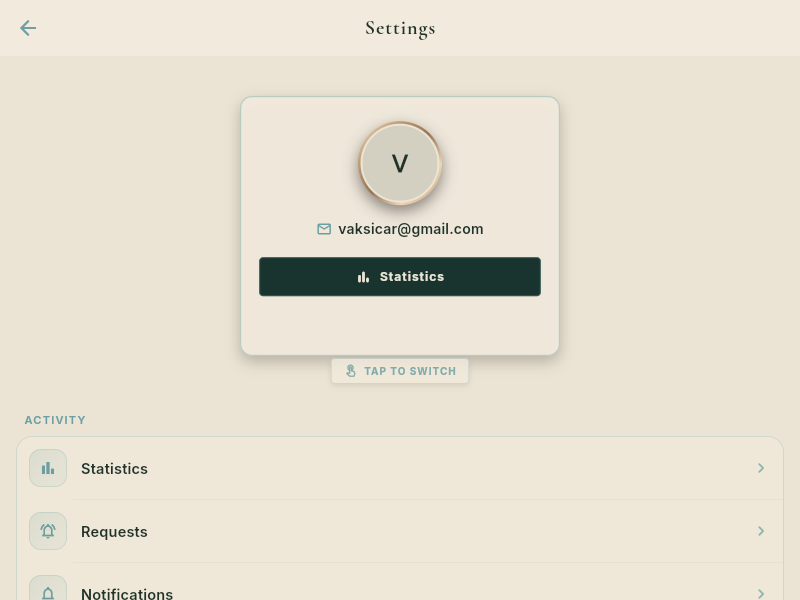
Displays your authenticated email (e.g. name@example.com), the one-tap Statistics quick button, and the TAP TO SWITCH role switcher. The ACTIVITY group provides direct navigation to your analytics performance, incoming project requests, and push notifications.
2. Account, Privacy & Localization
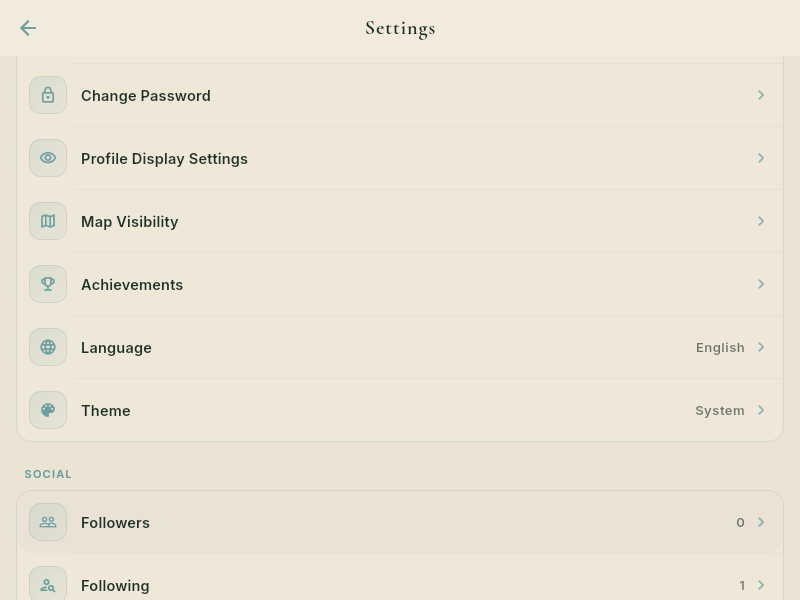
Comprehensive controls including Change Password, Profile Display Settings (public vs private reel showcase), Map Visibility (toggle whether your studio appears on the radar map), Achievements, Language Selector (English, French, Serbian, etc.), and Theme Selector (System, Dark, Light).
3. Commerce, Meetings & Residencies
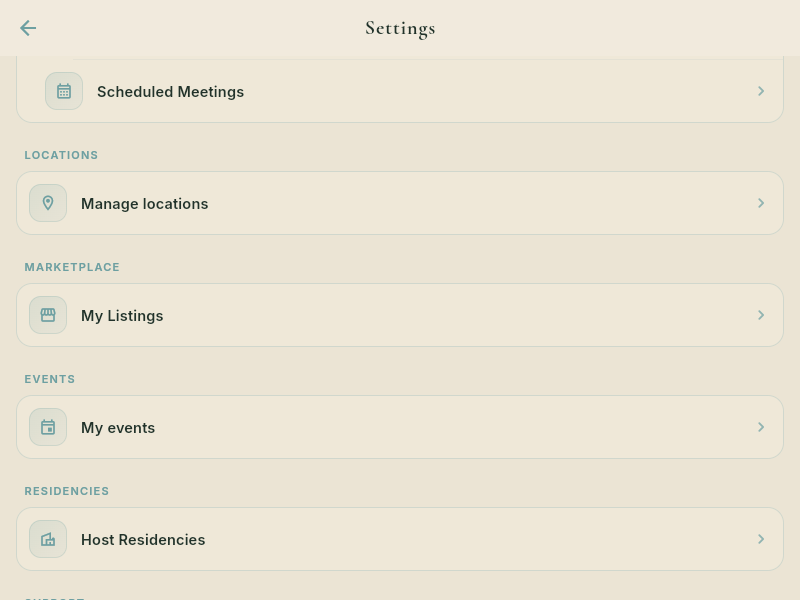
Manage production infrastructure: Scheduled Meetings (calendar video calls & Zoom links), Locations (manage studio shooting spots), Marketplace (manage camera gear rental listings), Events, and Host Residencies (manage artist retreats and room availability).
Part 3: Account Validation & Profile Completion Policy (`PostRegistrationVerificationScreen`)
Why profile verification matters, the new user onboarding grace period, and protection against anonymous accounts on a professional film production network.
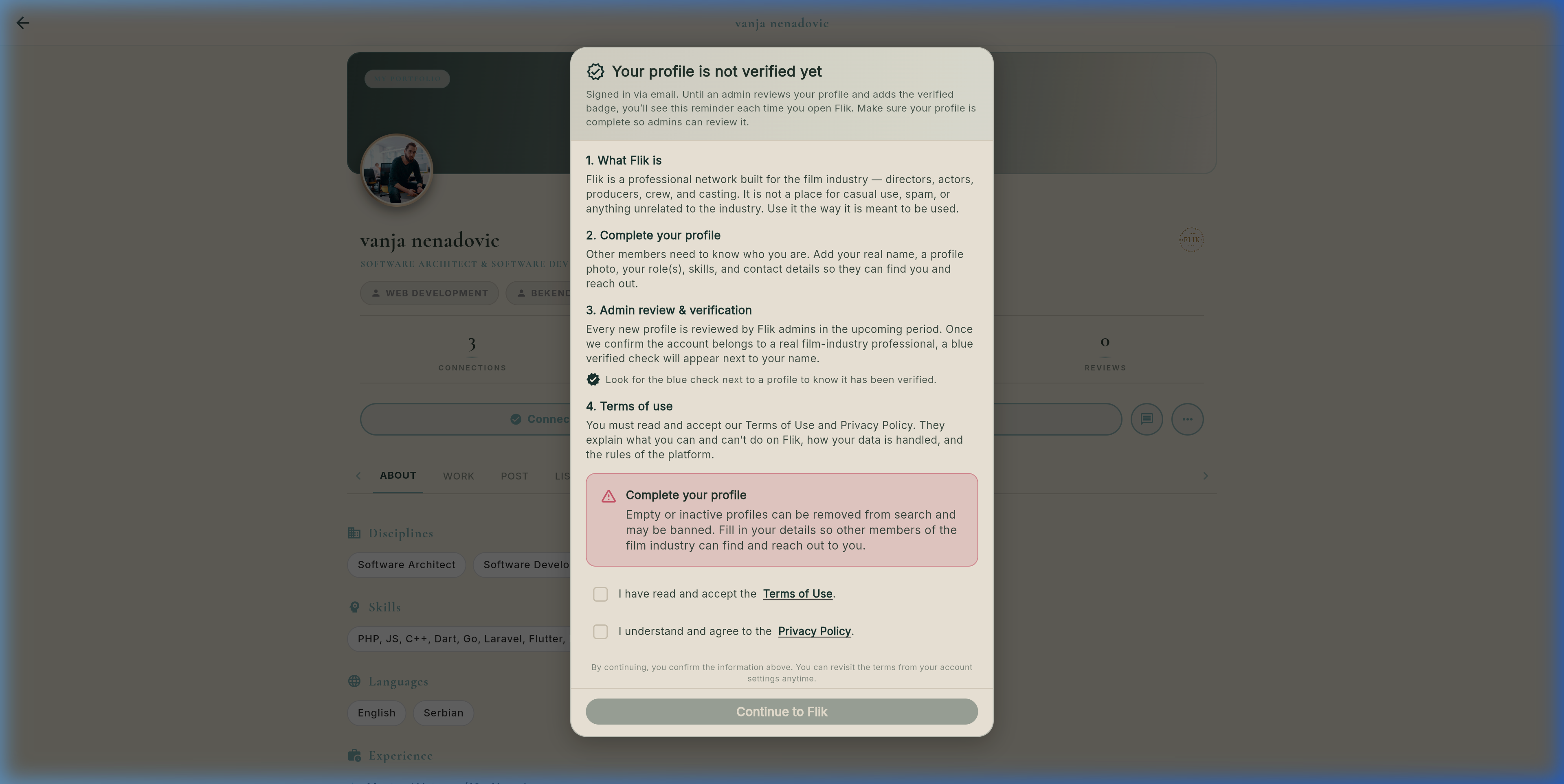
🛡️ The Film Industry Trust Charter & Verification Rules
1. What Flik Is
Flik is a professional network built exclusively for the film industry — directors, actors, producers, cinematographers, sound mixers, and crew. It is not a place for casual social networking, spam, or anonymous lurkers. High-value gear rentals, confidential scripts, and residency bookings require verified trust.
2. Complete Your Profile
Other members need to know exactly who they are contacting. New signups must complete their profile by adding their real full name, professional headshot, primary craft role, skills tags, and contact details so producers and crew can reach out with confidence.
3. Admin Review & Verification
Every new profile is reviewed by Flik administrators during an onboarding evaluation window. Once confirmed as a legitimate film industry professional, the prestigious Blue Verified Checkmark Badge appears next to your name across search, messaging, and listings.
4. Empty Profile Suppression Policy
Zero-Tolerance for Anonymous Inactivity: Profiles that remain empty or inactive after registration are automatically filtered out from global search results and will be restricted or banned from initiating direct messages and rental bookings until verified.
Master Video Voiceover Script
Read and listen to the complete timed voiceover script covering the entire application journey.
Master Video Voiceover Script (Detailed Narration)
Complete, expanded voiceover script matched 1-to-1 to the real UI. Click any segment's audio button to hear it narrated.
"Welcome to Flik — the unified creative ecosystem built specifically for filmmakers, actors, directors, cinematographers, and production teams. From writing your screenplay to coordinating on-set shoot days, booking artistic retreats, and renting camera gear, Flik connects every stage of the filmmaking journey into one seamless environment. Let's take an in-depth tour of the real interface."
"We begin on the Global Feed. In the left navigation bar, you can seamlessly jump between all core areas of Flik. In the upper-right corner, you have instant access to global search, saved bookmarks, the post creator button, your direct message threads, and notification center. On the feed, creators share behind-the-scenes moments, camera test stills, and festival announcements with full engagement and verified creator badges."
"From the Global Feed top navigation, the search icon opens the Find Users interface. Explore creators by craft, filtering between directors, actors, sound recordists, and cinematographers. Check availability indicators like Open to Work or Hiring, review attached production job postings, and see mutual connections before sending a direct connection request."
"Clicking 'Discover' opens the interactive full-screen radar map. Use the search bar to locate verified Directors of Photography, sound recordists, and filming locations in any city worldwide. You can toggle map layers to focus specifically on Talent, Studios, Locations, or Residencies. Tapping any pin displays the creator's day rate, verified credits, and immediate connection button."
"In 'Opportunities', explore vetted production jobs, creative residencies, and casting calls. Every job listing displays the production title, role, transparent day rate, shooting dates, and required skills. Tap 'Apply' to submit your verified Flik profile with one click directly to the hiring producers."
"Under Residencies, open properties like Jardin Scullion. Scroll to the Occupancy Calendar: here, you see not just when rooms are free, but the exact dates other artists are booked in the suites! You can see their specialty, coordinate dates to co-live, hold joint script read-throughs, and spark creative partnerships before you even arrive."
"Need an ARRI camera package, specialized anamorphic glass, or an authentic period prop for your shoot? The Flik Marketplace organizes equipment into intuitive categories including Cameras, Lenses, Lighting, Sound, and Props. Rent securely with Stripe protection, or list your own idle equipment to earn passive revenue between productions."
"Flik Studio is the definitive operating system for independent and commercial productions. Start by writing your screenplay in standard Fountain formatting. The AI breakdown engine automatically identifies characters, props, wardrobe, stunts, and visual effects across nine categories, allowing you to bridge elements directly into your project budget. Next, arrange your shooting schedule on the Stripboard with color-coded day and night strips. Track cast commitments with the Day Out of Days matrix, resolve crew availability conflicts, manage team member permissions and access matrices, and generate print-ready daily Call Sheets with hospital and weather details with a single click."
"Flik isolates all communication into dedicated channels so you never lose crucial production context. Direct messages with mutual connections are kept strictly separated from incoming requests, job negotiations, gear rentals, and residency bookings. Inside Flik Studio, every project workspace features an isolated team chat with audio voice notes and scene links. For video conferences, launch internal encrypted HD calls with a floating mini-player that lets you read scripts during rehearsals, or schedule meetings with automated Zoom join links."
"In your User Profile, the top-right gear icon opens comprehensive Account Settings. Monitor your Activity Hub, toggle map visibility to control whether your studio appears on the radar map, adjust languages, and switch themes. Right next to it, the edit pencil lets you update your bio, rates, and equipment inventory. Remember that every new creator undergoes an onboarding grace period with admin verification to ensure our professional network remains free of anonymous accounts."
"Everything modern filmmaking was missing — unified into one platform. Create your profile, connect with the global creative community, and bring your vision to life today at app.fliknetwork.com."